Skip to content

Portfolio · Vocational training · Web

From enrolment to job-ready,on one shared record.

This is a course and trainee management portal: administrators enrol aspirants, publish courses and review submitted work, while trainees follow a staged learning journey, hand in projects and watch their own progress build — two role-based surfaces, reading and writing one record.

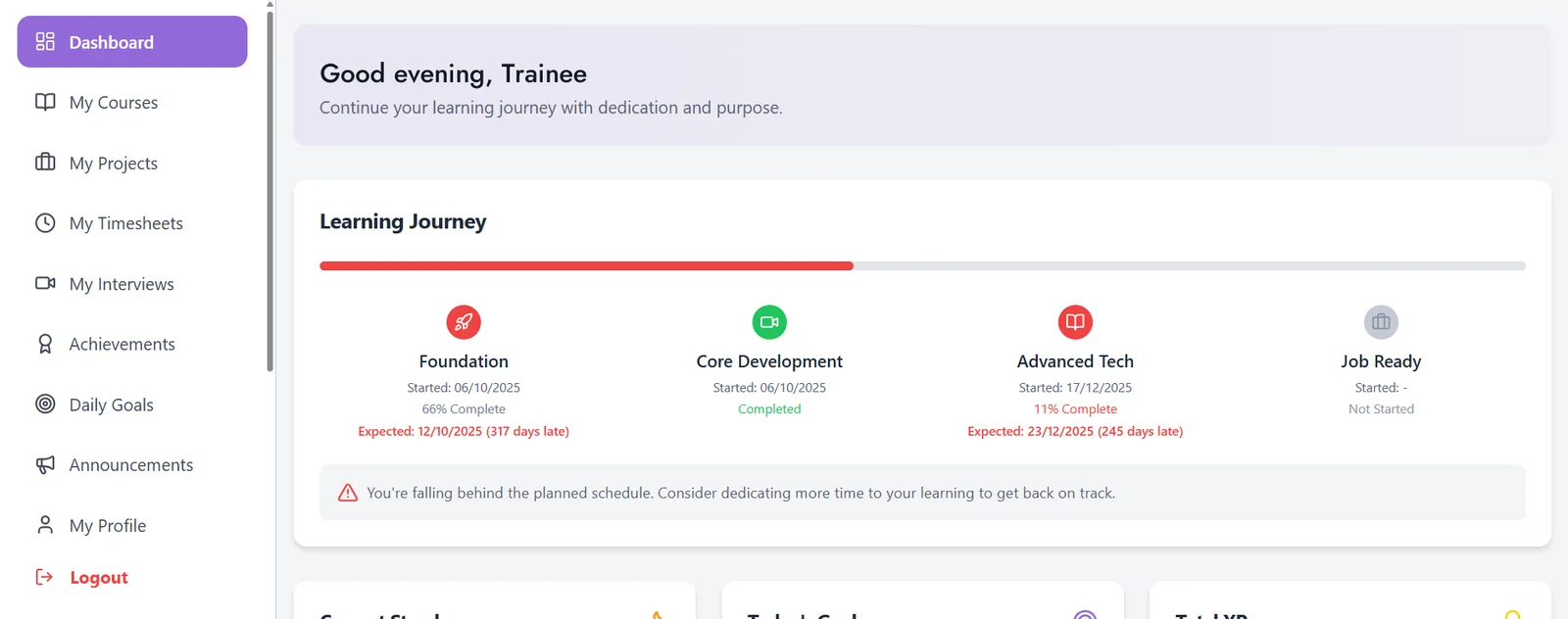
A trainee dashboard showing a four-stage learning journey with start dates, completion percentages and a days-late notice.
A journey with dates on it: four stages, and a stage past its date says by how much.
01Sector
Vocational training
02Surfaces
Trainee workspace, admin console
03Access
One role, one surface, read-only to its holder
04Journey
Four stages, from Foundation to Job Ready
Act 01/ 033 captures

Trainee workspace

A journey with dates on it.

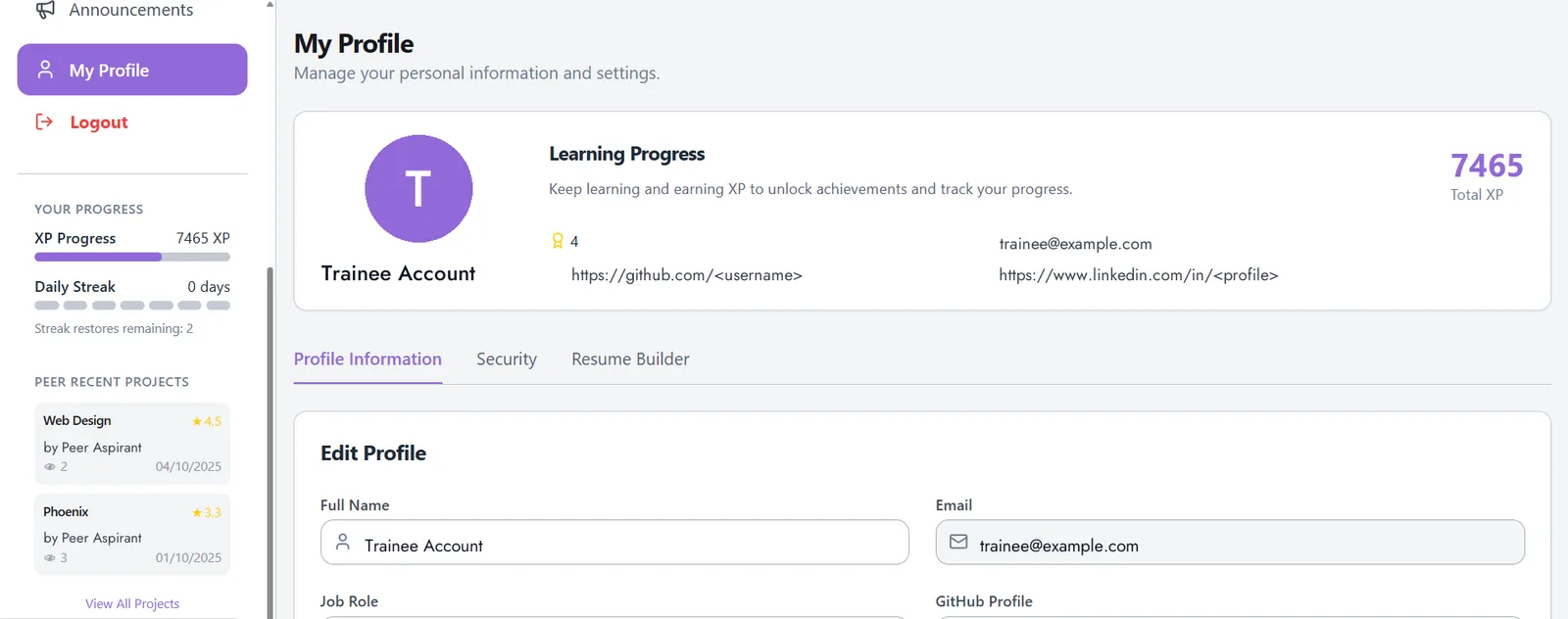
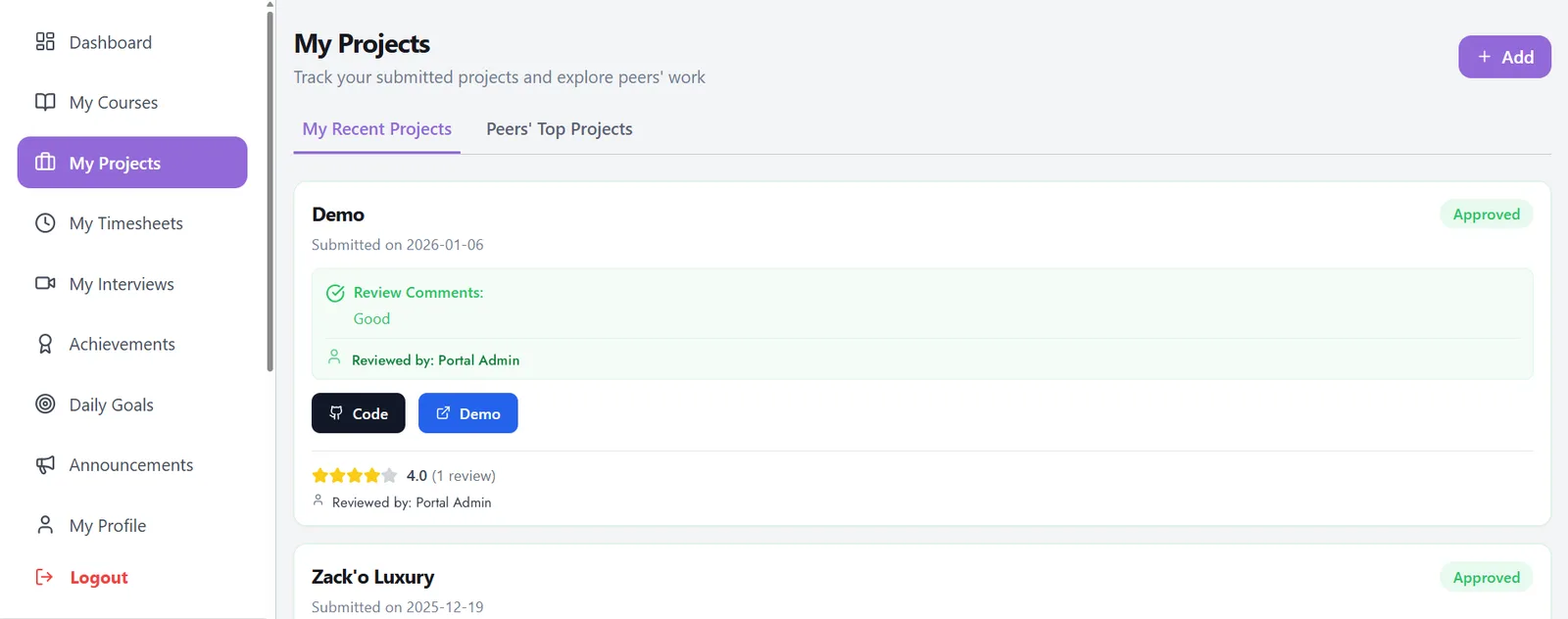
The trainee’s first screen is not a course list — it is where they stand against a plan, across four named stages, with a stage past its expected date saying by how much and the panel ending on an instruction, not a finding. Each enrolled course carries a completion percentage and the step count underneath it, work is handed in with a code link and a demo link, and XP, streak and achievements sit on a profile beside the trainee’s own résumé builder, GitHub and LinkedIn links.
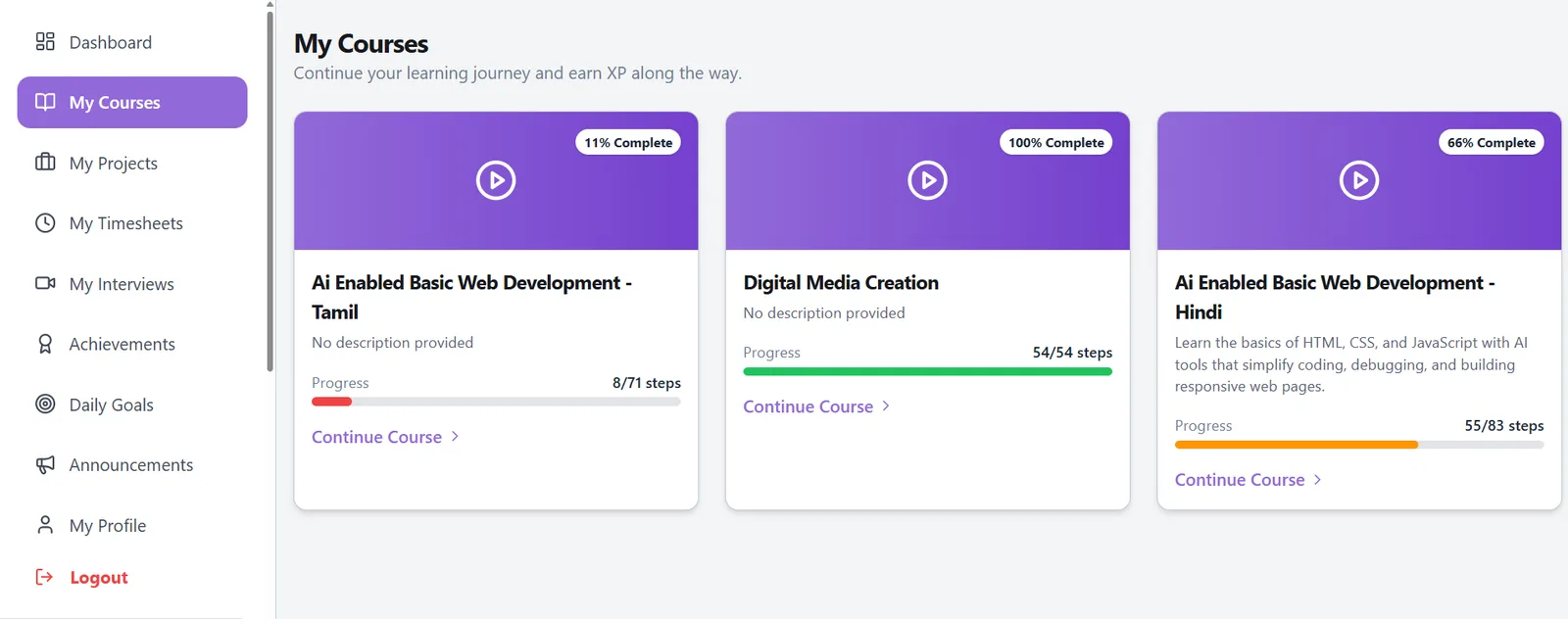
A course list with a completion percentage and a step count under each enrolled course.
Both figures, on every course: a percentage for how you are doing, a step count for what is left.
A projects screen with a submitted project, its code and demo links, and a written review with a score.
Work handed in with a code link and a demo link, then reviewed and scored by name.
A trainee profile with XP progress, a daily streak, achievement count, and GitHub, LinkedIn and résumé builder links.
Progress that belongs to the trainee: XP, streak and achievements beside their own résumé builder.
  1. 01.01

    Four stages, named

    Foundation, Core Development, Advanced Tech, Job Ready.

  2. 01.02

    Both figures, on every course

    A percentage says how you are doing; a step count says what is left.

  3. 01.03

    The review is written down

    Who approved a submission, what they said, and what they scored.
Act 02/ 033 captures

Admin console

The programme, at a glance.

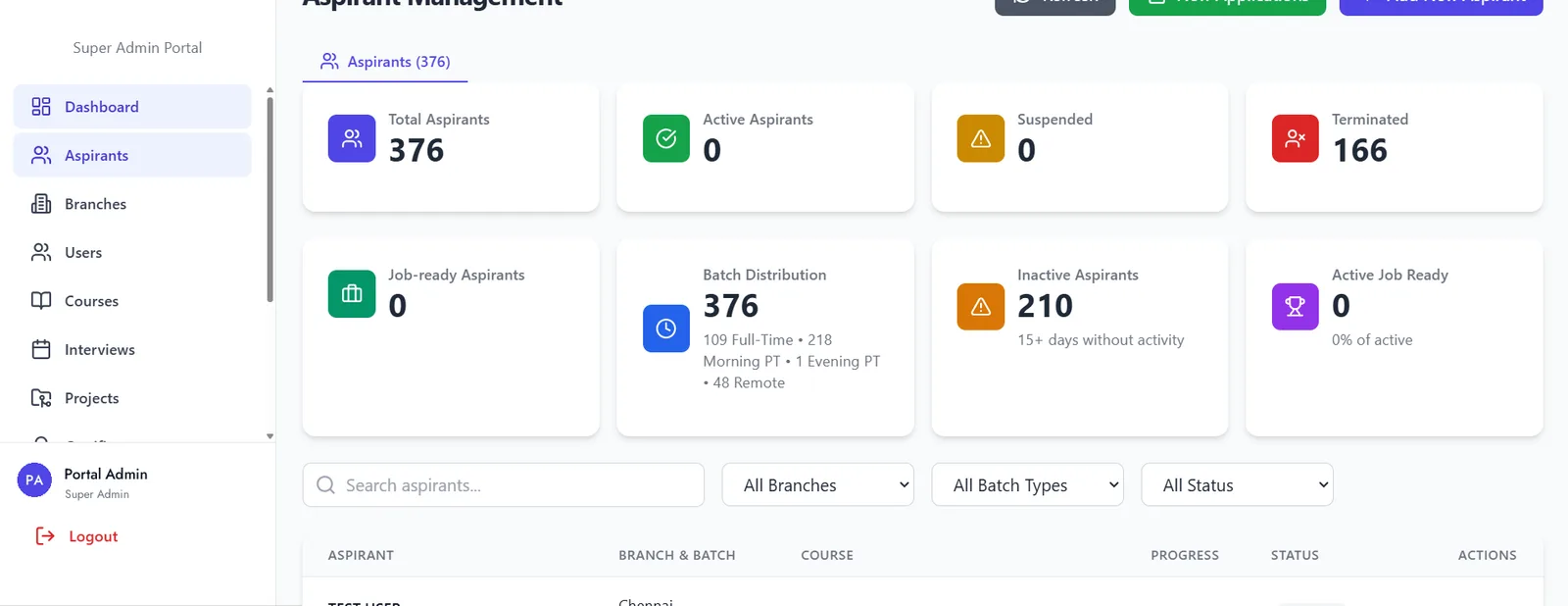
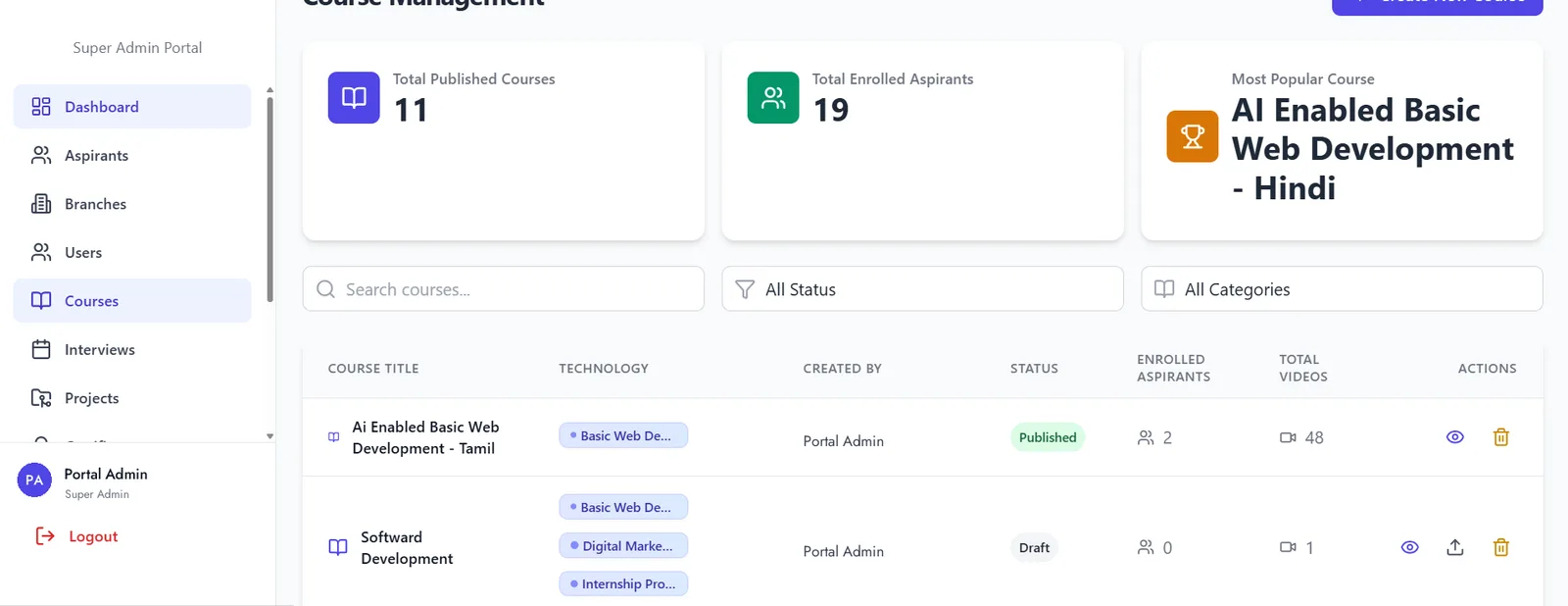
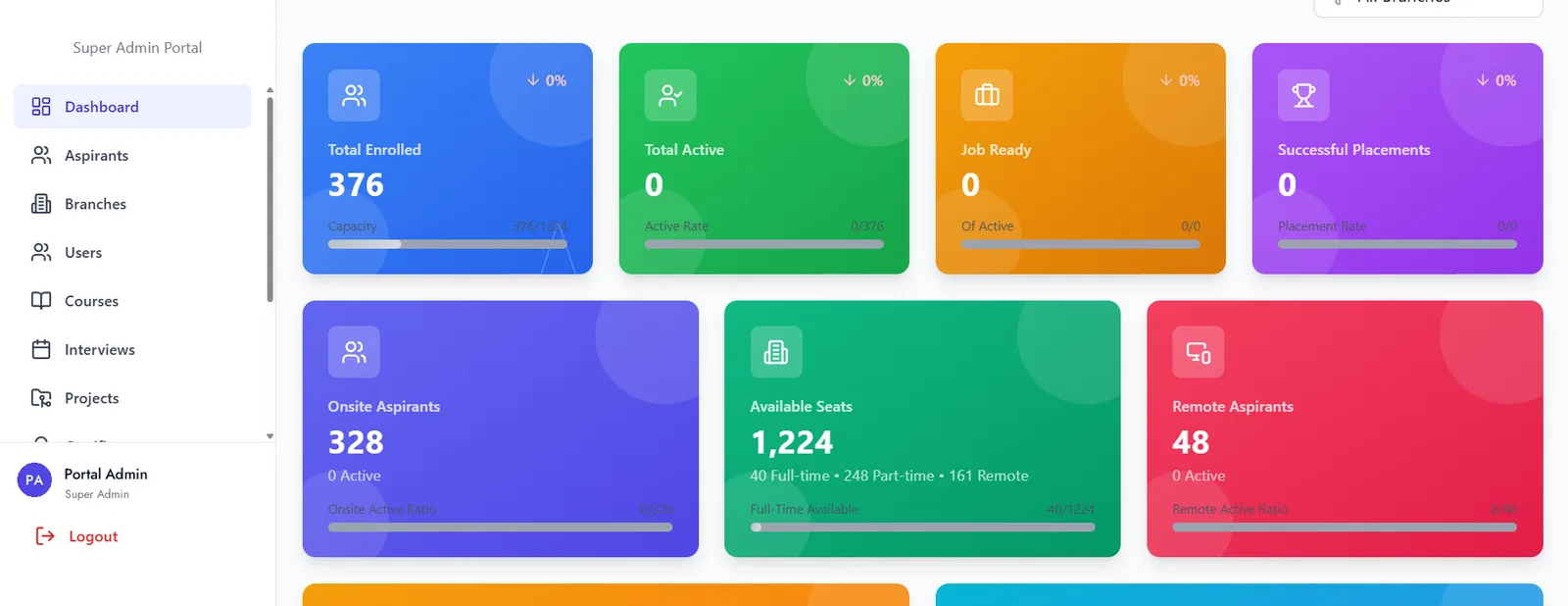
The console opens on capacity, not a menu: total enrolled, total active, job-ready and successful placements across the top, onsite and remote seats beneath, and a branch filter that re-reads all of them. Every aspirant carries a branch, a batch, a course and a status, with active, suspended and terminated counted apart; every course row carries its technology tags, its publication state, its enrolled count and its video count, so a draft cannot quietly collect students.

An admin console dashboard with total enrolled, total active, job-ready and successful placements as headline tiles, onsite and remote seats beneath.
The programme, at a glance: capacity stated as a count against its denominator.
An aspirant management screen with total, active, suspended and terminated counts, batch distribution, and a filterable table below.
Every aspirant, and what state they are in — active, suspended and terminated counted apart.
A course management screen listing courses with technology tags, publication state, enrolled count and video count on each row.
Courses, and who is on them — a draft cannot quietly collect students.
  1. 02.01

    Stated as a fraction

    Capacity reads as a count against its denominator — a number without that is decoration.

  2. 02.02

    State is a tile, not a column

    Active, suspended and terminated are counted apart, with batch distribution on its own tile.

  3. 02.03

    A draft cannot collect students

    Every course carries a publication state beside its enrolled count.

Act 03/ 031 capture

Role-based access

One account, one role, one surface.

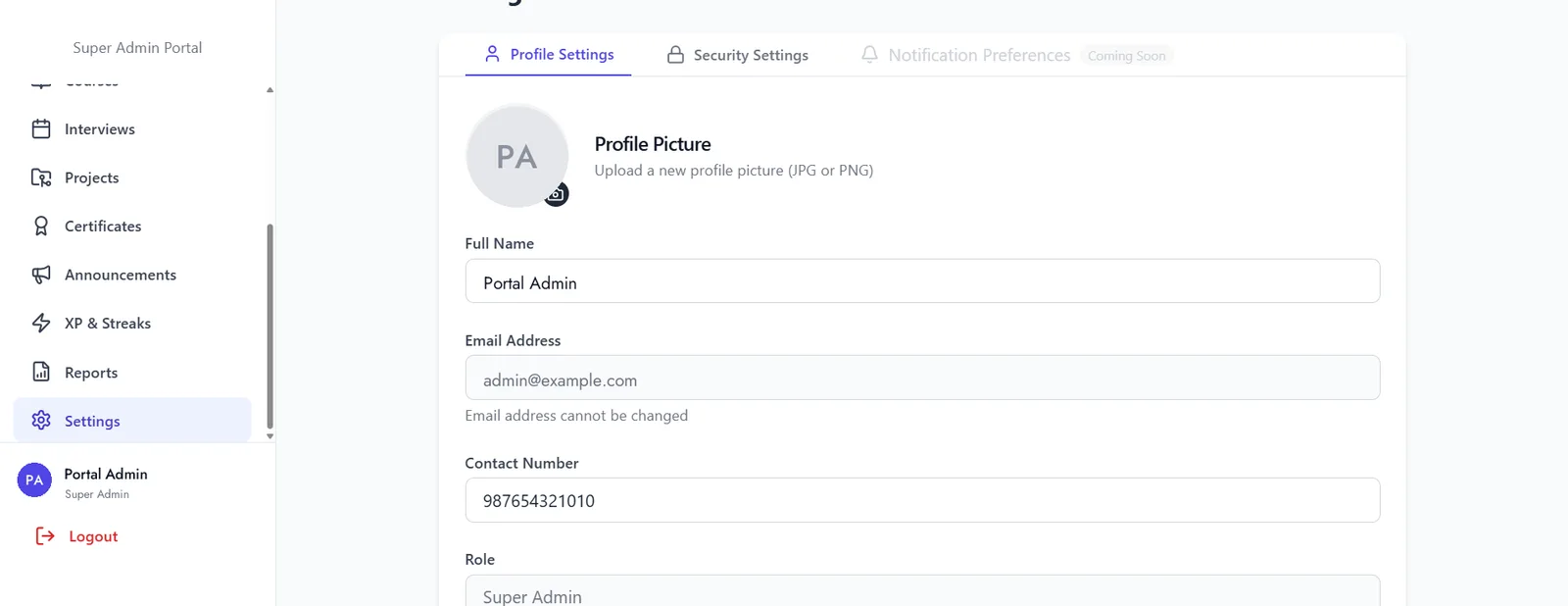
The role decides which of the two surfaces an account opens, and its holder cannot change it — shown on the profile, changed only by an administrator. Identity is editable and access is not: a name and a picture change, an email and a role do not, and security sits in its own tab apart from the profile.

A profile settings screen with a full name field editable, an email field locked, and a read-only role field.
Identity is editable, access is not: name and picture change, email and role do not.
  1. 03.01

    Read-only to its holder

    The role is shown on the profile, and changed only by an administrator.

  2. 03.02

    Identity is editable, access is not

    Name, picture and contact change; email and role do not.

  3. 03.03

    Security has its own tab

    Password and session controls sit apart from the profile.

The last word

This shows how Famysys builds a training programme: two role-based surfaces over one record, an admin console for enrolment, courses and review, and a trainee workspace for the journey, the work and the progress. We start from your intake and your course map rather than from a template.

Built in

  • Trainee workspace
  • Admin console
  • Role-based access
  • Staged journey
  • Peer review

All projects

Let's build what's next

Technology alone doesn't transform businesses.The right partnership does.

Modernizing systems, building a new product, or exploring AI-driven transformation — Famysys helps you move forward with confidence.

  • SOC2 Type II Compliant
  • Strict Commercial NDA
  • Zero Lock-In Guarantee

Famysys

We Engineer Clarity

Scan to Connect

Instant digital business card & WhatsApp link