Skip to content

Portfolio · Restaurant groups · Web and mobile

One system, from a guest's phoneto the group's ledger.

DineFlow is a restaurant operating system for a group that runs more than one brand and more than one branch. A guest orders from the web, the app or a QR code at the table; the same order reaches the counter, the kitchen pass and the rider without being re-typed; and it settles into a branch report, a brand ledger and a board view.

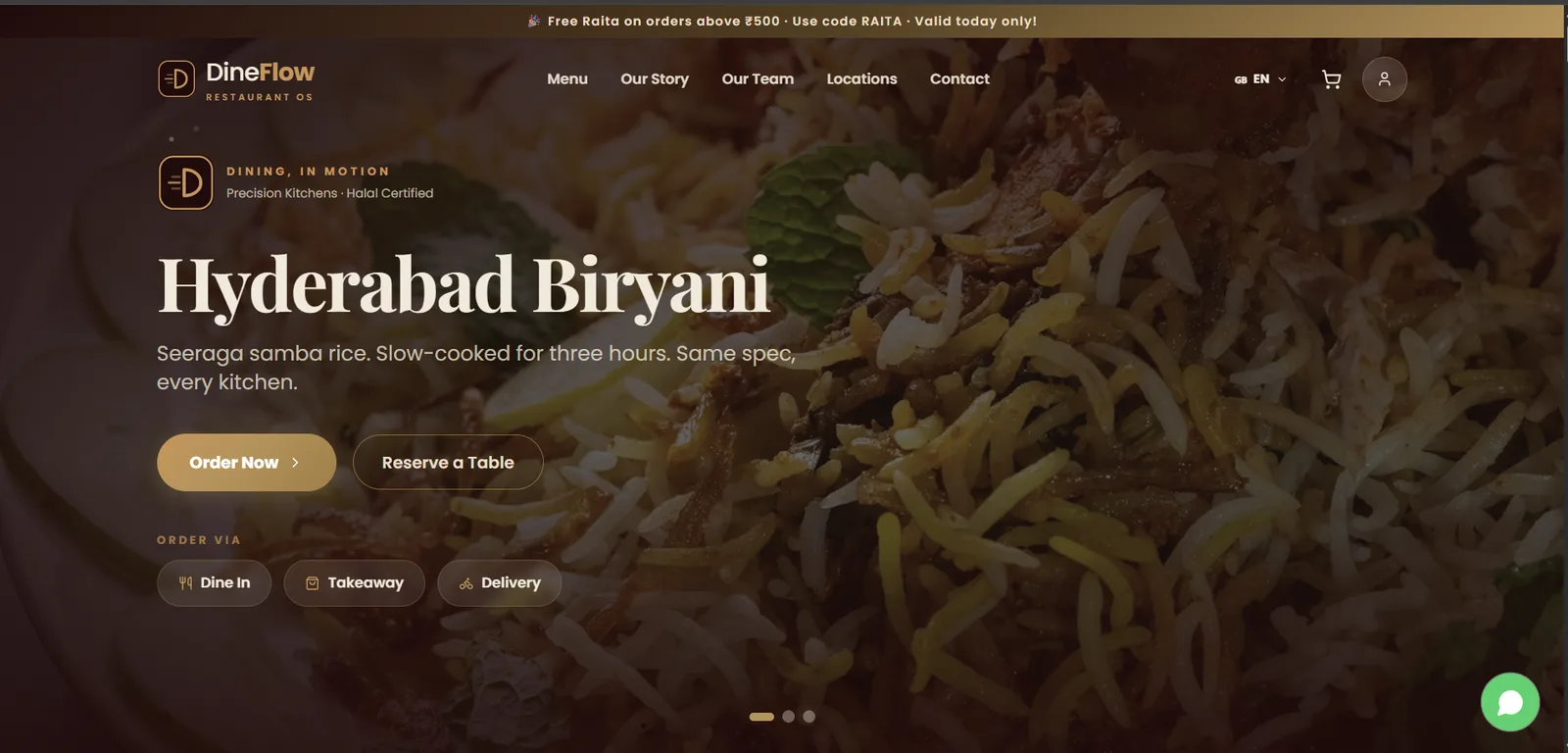
The DineFlow web storefront, opening on a dish with dine-in, takeaway and delivery offered as three buttons.
The web storefront. Dine-in, takeaway or delivery is chosen before the menu loads.
01Sector
Restaurant groups — multi-brand, multi-branch
02Surfaces
Web, app, counter POS, kitchen display, rider app, console
03Roles
Seven, against seventeen modules
04Screens
Twenty-one, all seeded demo data
Act 01/ 04Web and mobile5 captures

The guest's path

Three ways to order, chosen on the first screen.

The site opens on the dish, not the brand story. Dine-in, takeaway and delivery are picked before the menu loads, because the choice changes the prices, the fees and the time promised — and the same menu is in the hand, with what only a phone does: saved addresses, loyalty points and one-tap reorder.
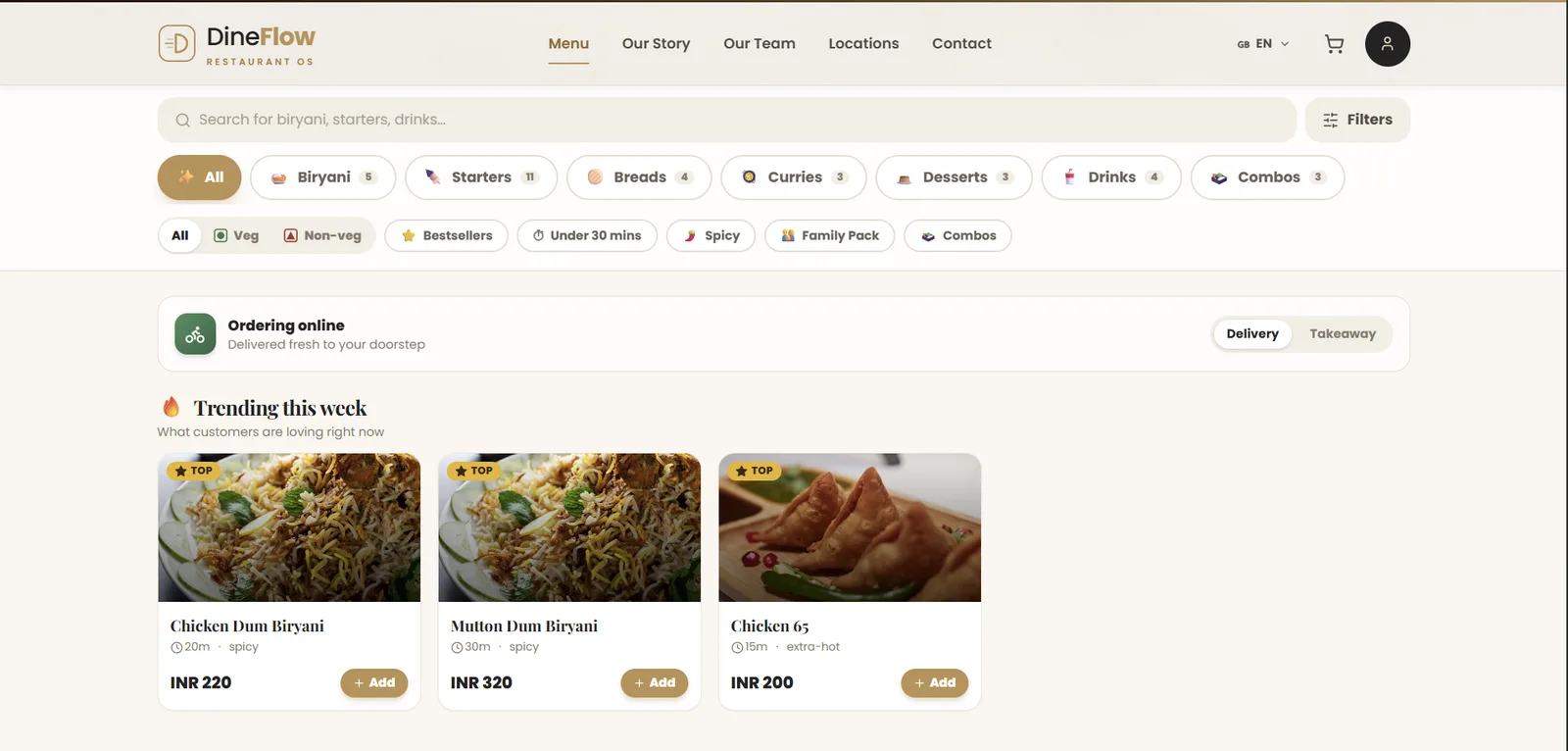
The web menu with filter chips carrying counts, a delivery-or-takeaway toggle and a prep time on each card.
A menu people can actually filter: a count on every chip, a prep time on every card.
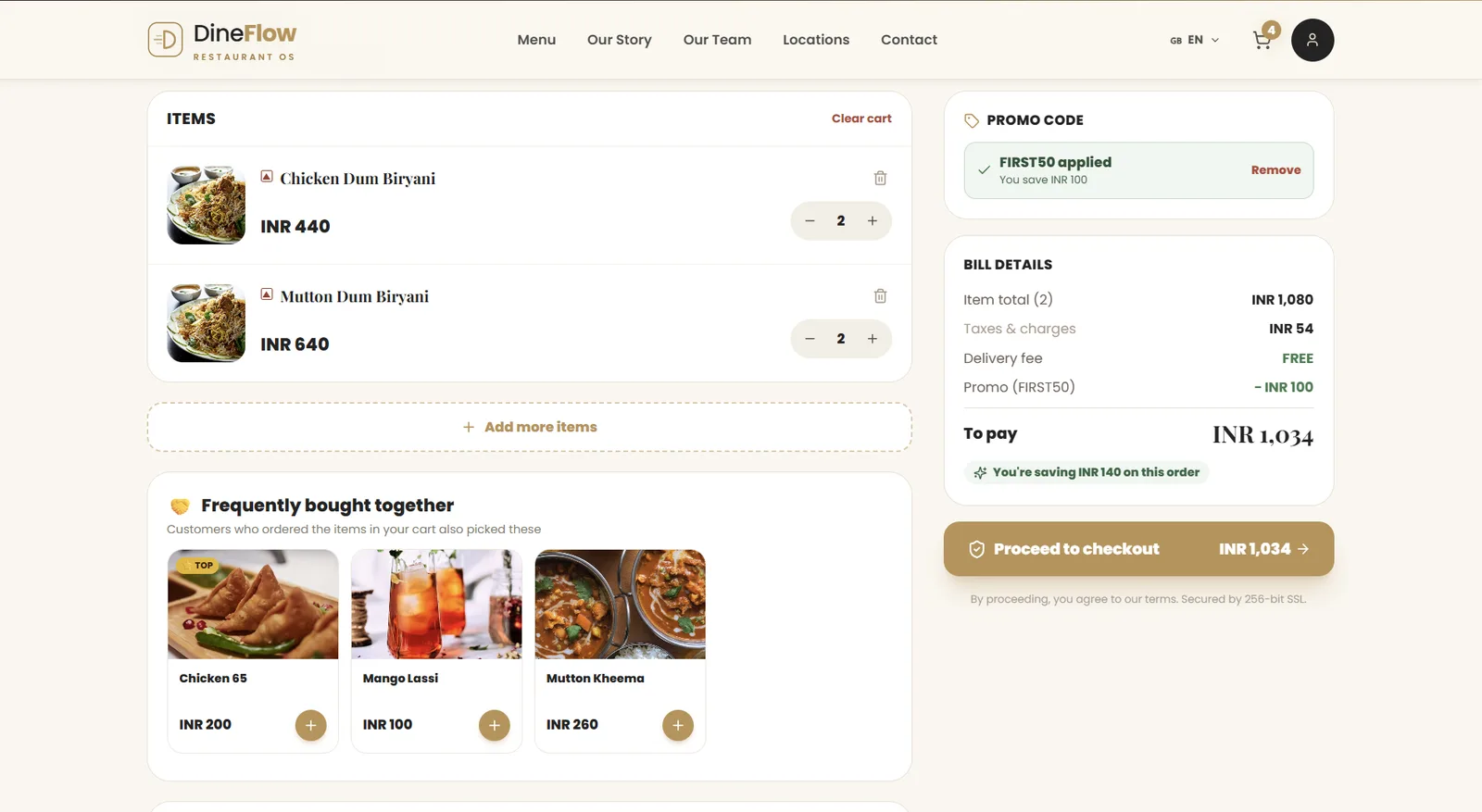
The cart with item total, taxes, delivery fee and an applied promo as separate lines, and the payable amount on the checkout button.
The cart does its arithmetic in the open — item total, taxes, delivery fee and the promo as separate lines.
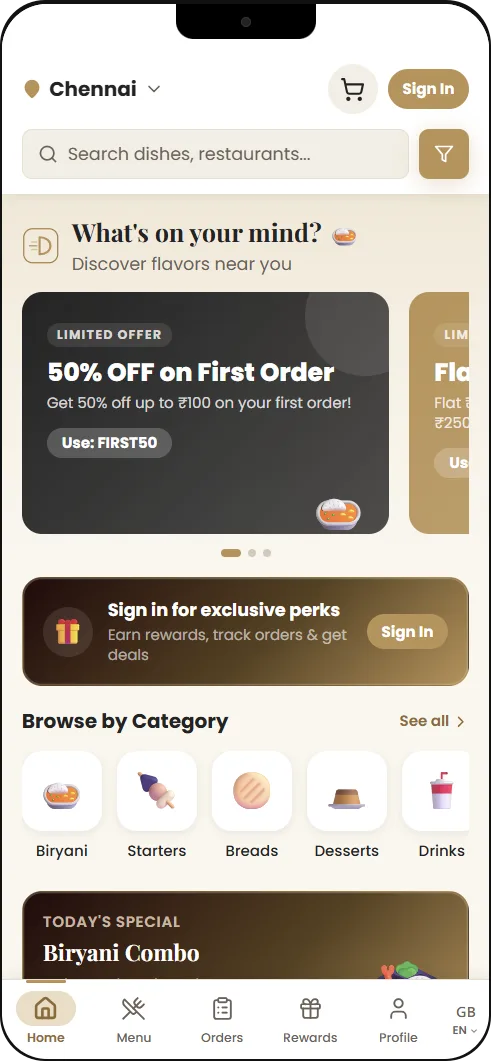
The mobile app home screen with offers, categories and a city switch.
Discovery, then the menu: offers, categories and a city switch before a restaurant is opened.
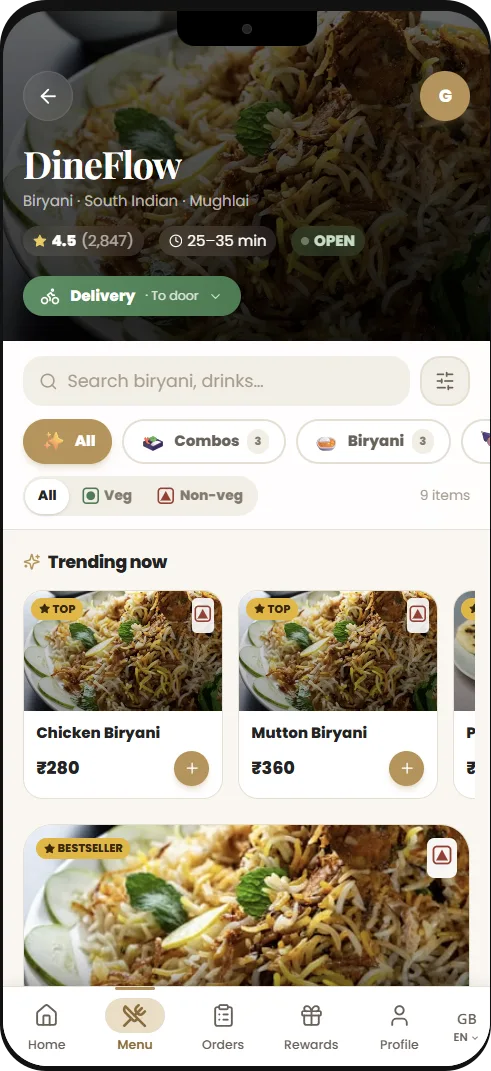
The mobile menu with portion sizes and extras priced as the item is built.
Portions and extras, priced as the item is built.
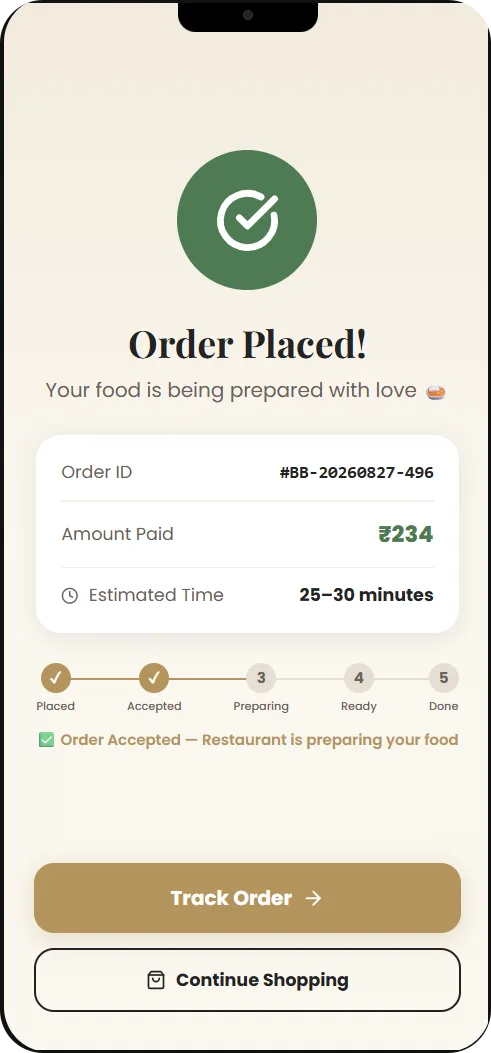
The order tracking screen with a five-step progress view.
The five-step tracker the rider's own states drive.
  1. 01.01

    Channel first

    It changes the prices, the fees and the time promised, so it is asked before anything else is shown.

  2. 01.02

    Counts on every chip

    A filter that would return nothing is visible before it is tapped.

  3. 01.03

    Seven languages

    English, Arabic, Hindi, Tamil, Telugu, French and Urdu, set per branch.
Act 02/ 04Web and mobile5 captures

The service floor

One counter, one queue, five states.

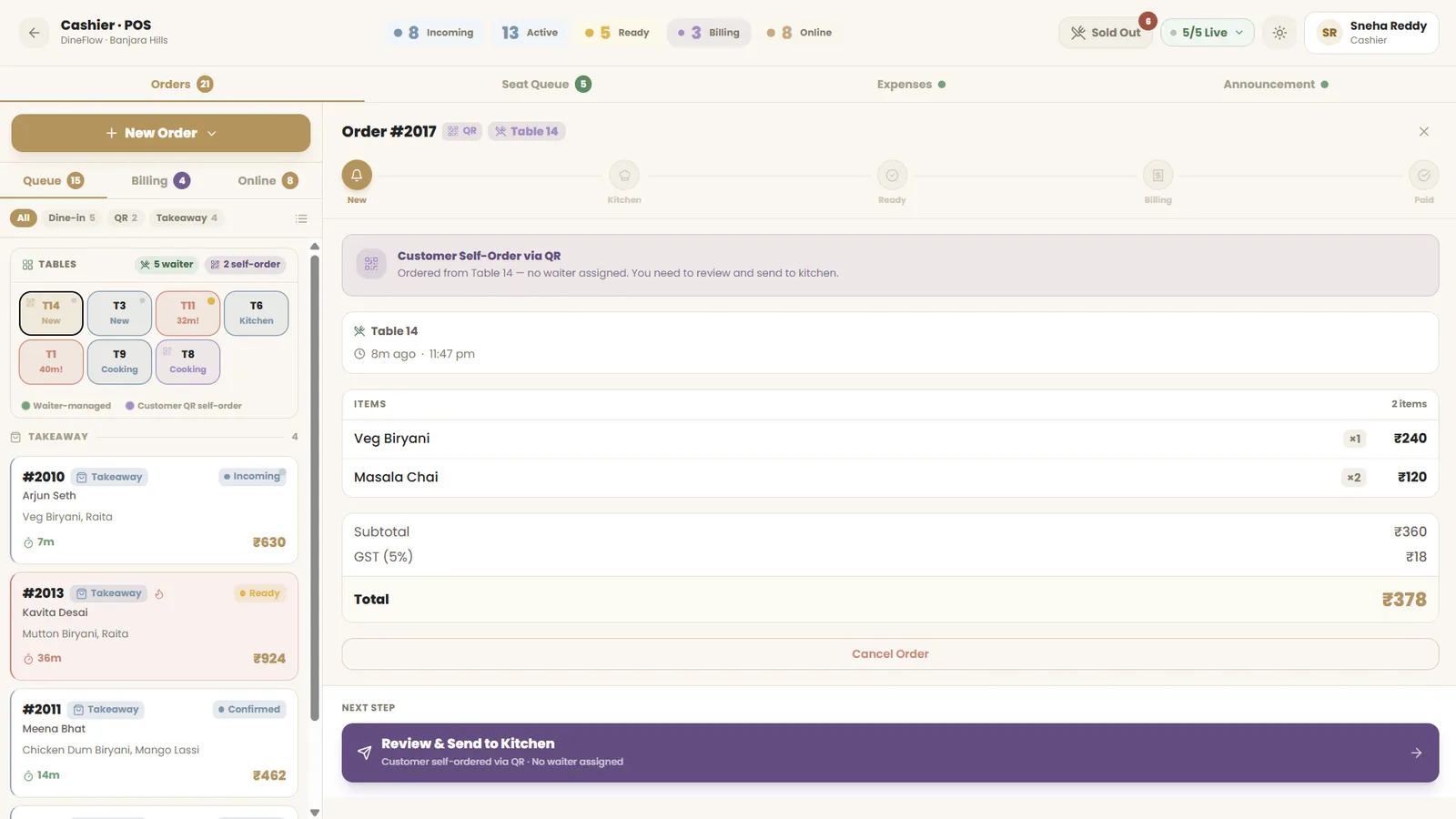
Dine-in, QR self-order, takeaway and online orders all arrive in the same list. A QR order lands with no waiter assigned and has to be reviewed before it can be sent to the kitchen. The pass is split by station and by clock, and the rider app is a dark, one-handed list whose every state is a state the guest sees.

The counter point of sale with one order queue across five states and a floor map beside it.
One counter, one queue, five states: new, kitchen, ready, billing, paid.
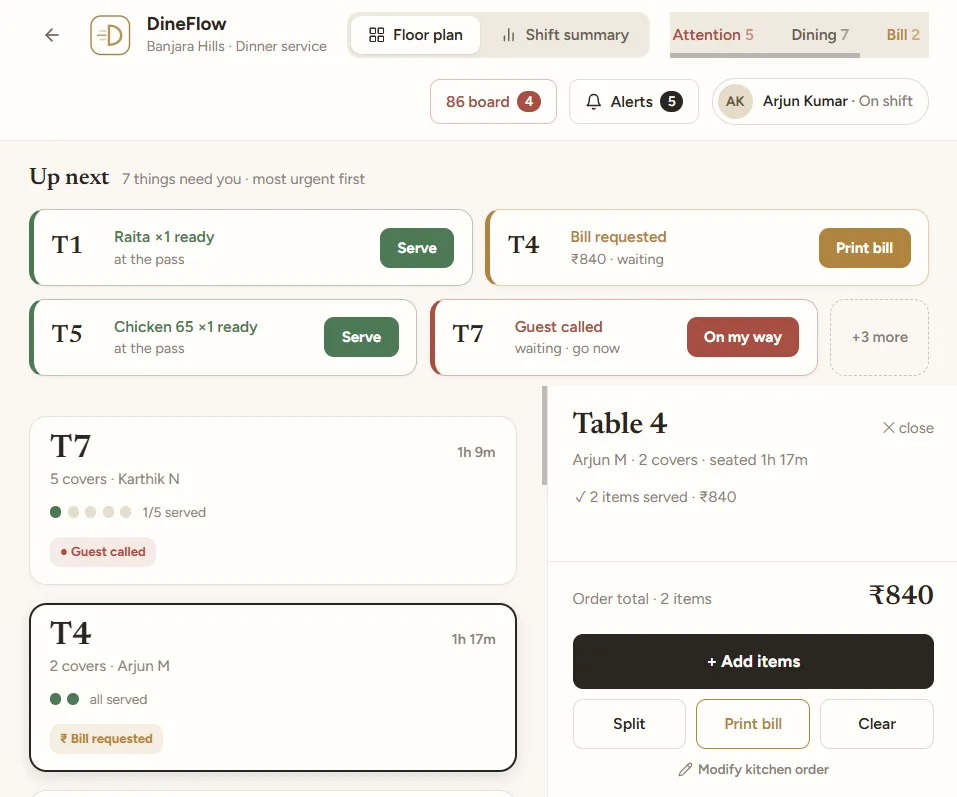
The waiter view, listing tables that need attention with the most urgent first.
The floor, sorted by who has waited longest.
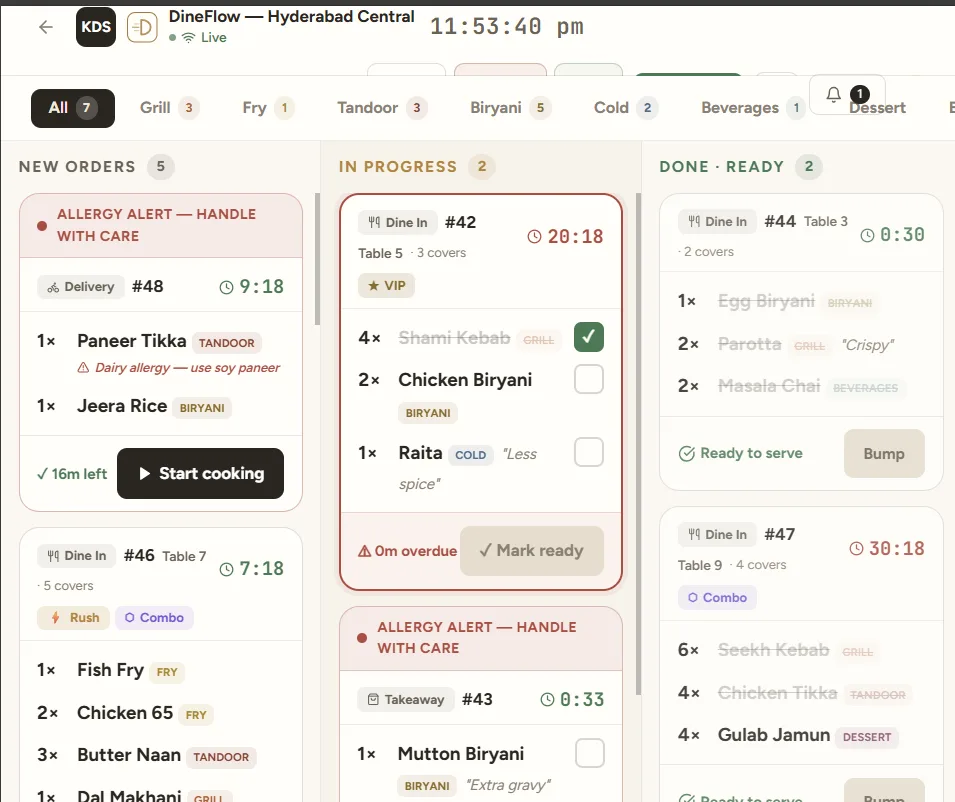
The kitchen display with tickets in new, in-progress and ready columns, each with a timer.
The pass, split by station and by clock.
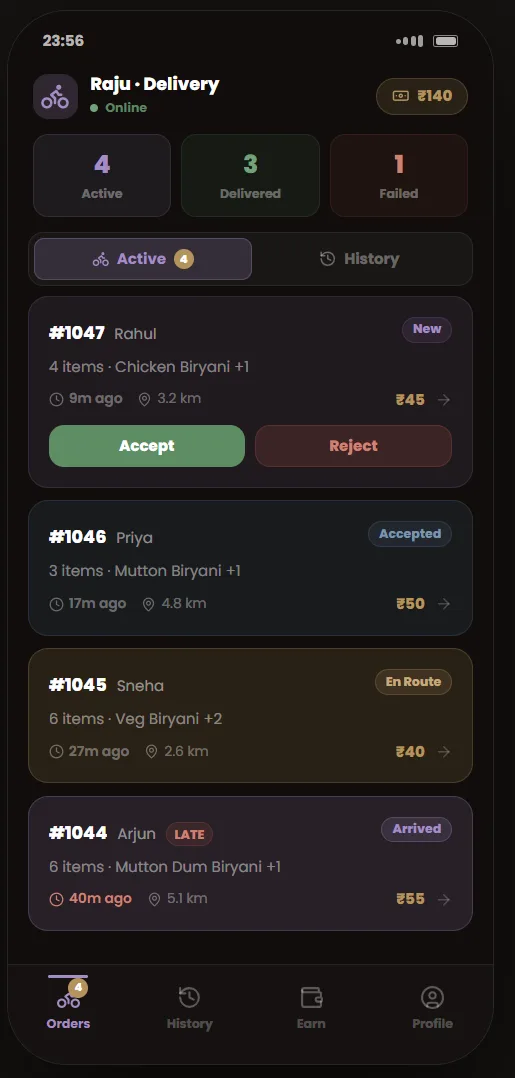
The rider app listing deliveries to accept or reject, each with distance, item count and fee.
Accept or reject — distance, item count and the fee are on the card before the decision.
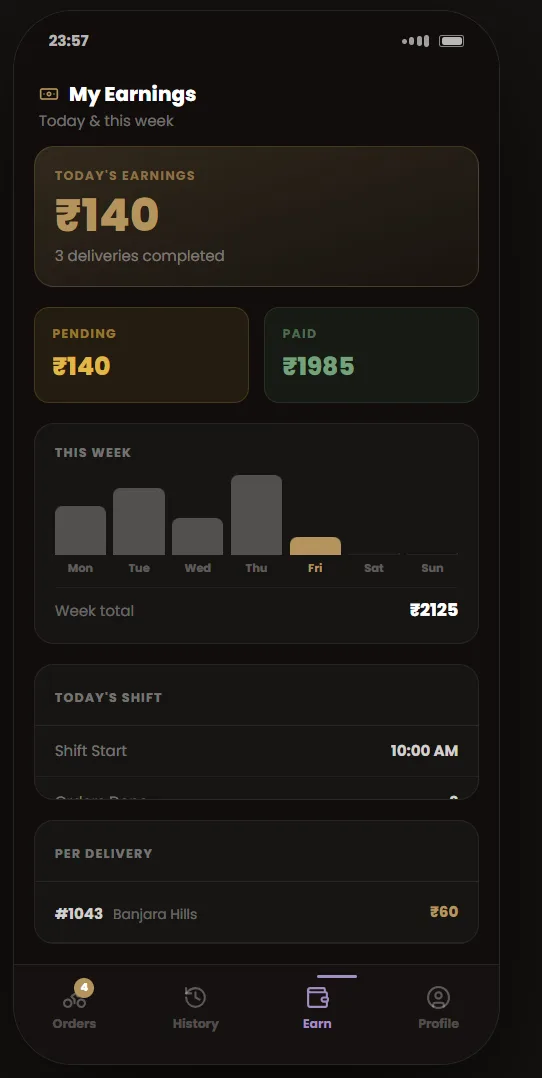
The rider earnings screen with paid and pending amounts by day and week.
Earnings by day and week, paid and pending kept apart.
  1. 02.01

    Up next

    Every table that needs a person, most urgent first, with the action on the card.

  2. 02.02

    Allergies handled first

    A flagged ticket goes to the top of its column and names the substitution.

  3. 02.03

    Bump moves everything

    Bumping a ticket turns the order Ready at the counter and in the guest's app.

Act 03/ 04Web4 captures

Running the branch

Stock that flags itself before service does.

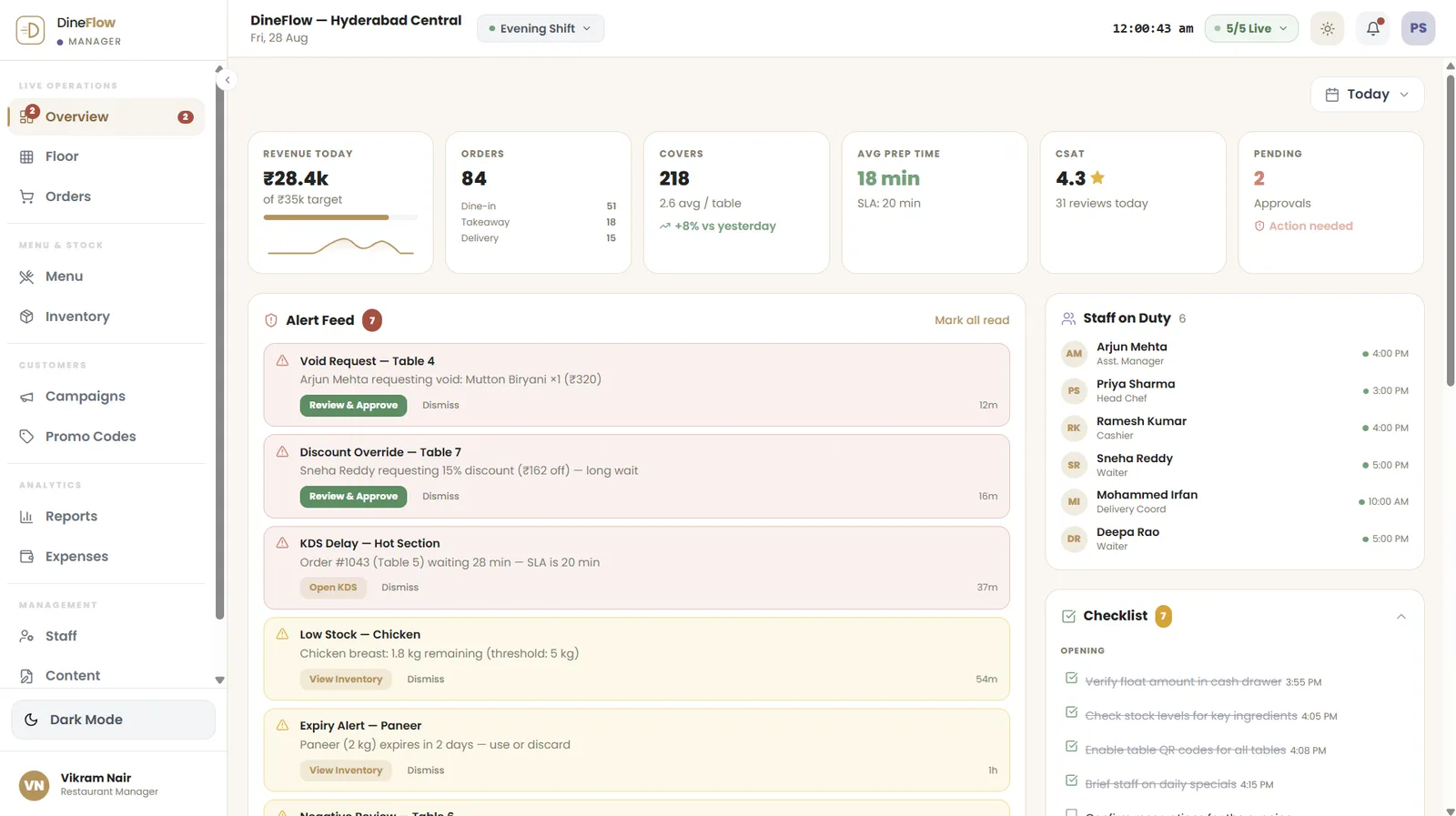
The shift is read on one screen while it is still running — revenue against target, covers, prep time and an alert feed ordered by what needs a person. Menu changes are staged and published together, and every ingredient carries a level, a minimum, a cost, a supplier and an expiry, checked against what the recipes say.

The branch manager dashboard with revenue against target, covers, prep time and an alert feed.
The shift on one screen, while it is still running.
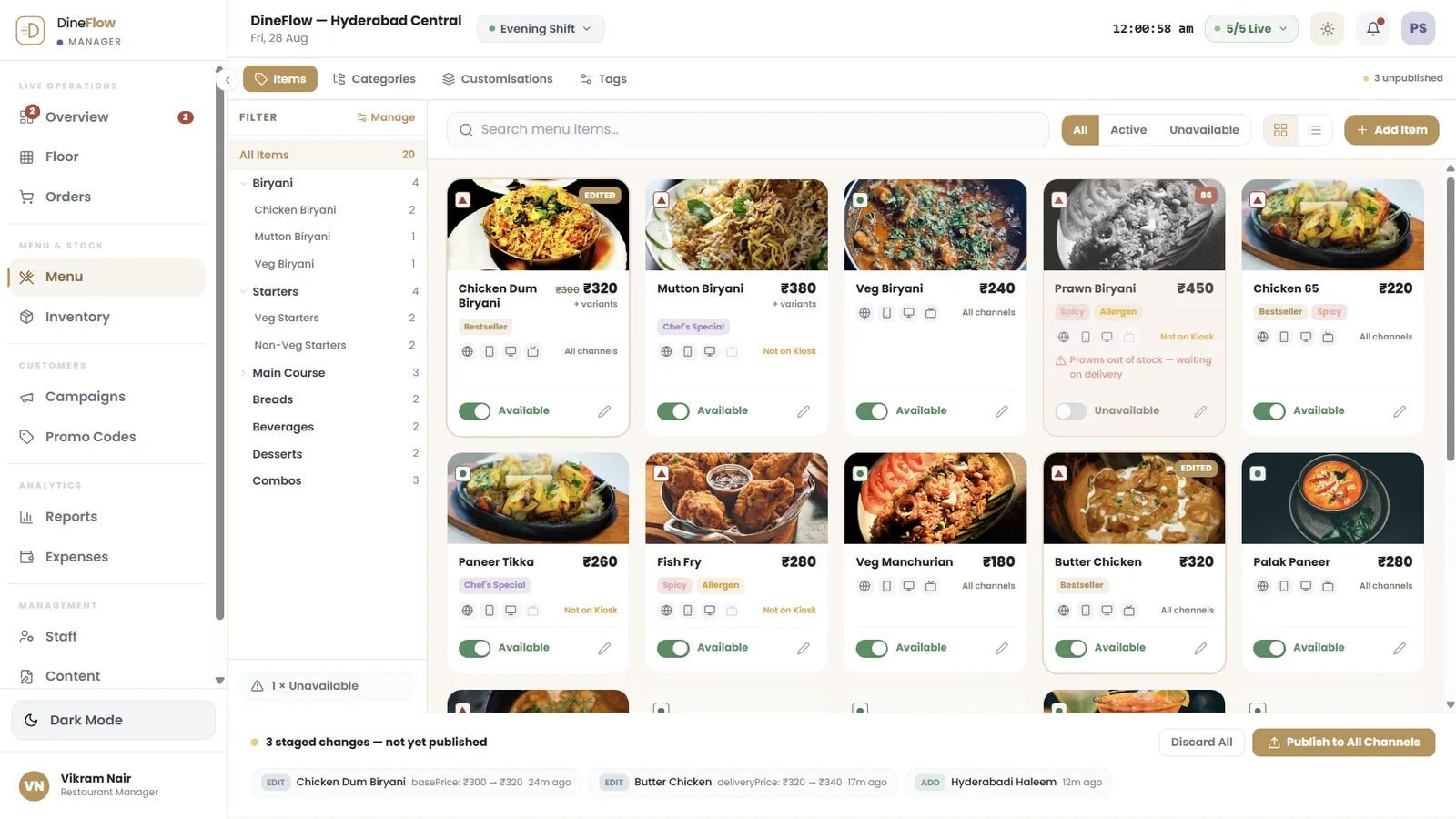
The menu editor with pending changes collected in a tray for review before publishing.
Menu changes are staged, reviewed, then published to every channel together.
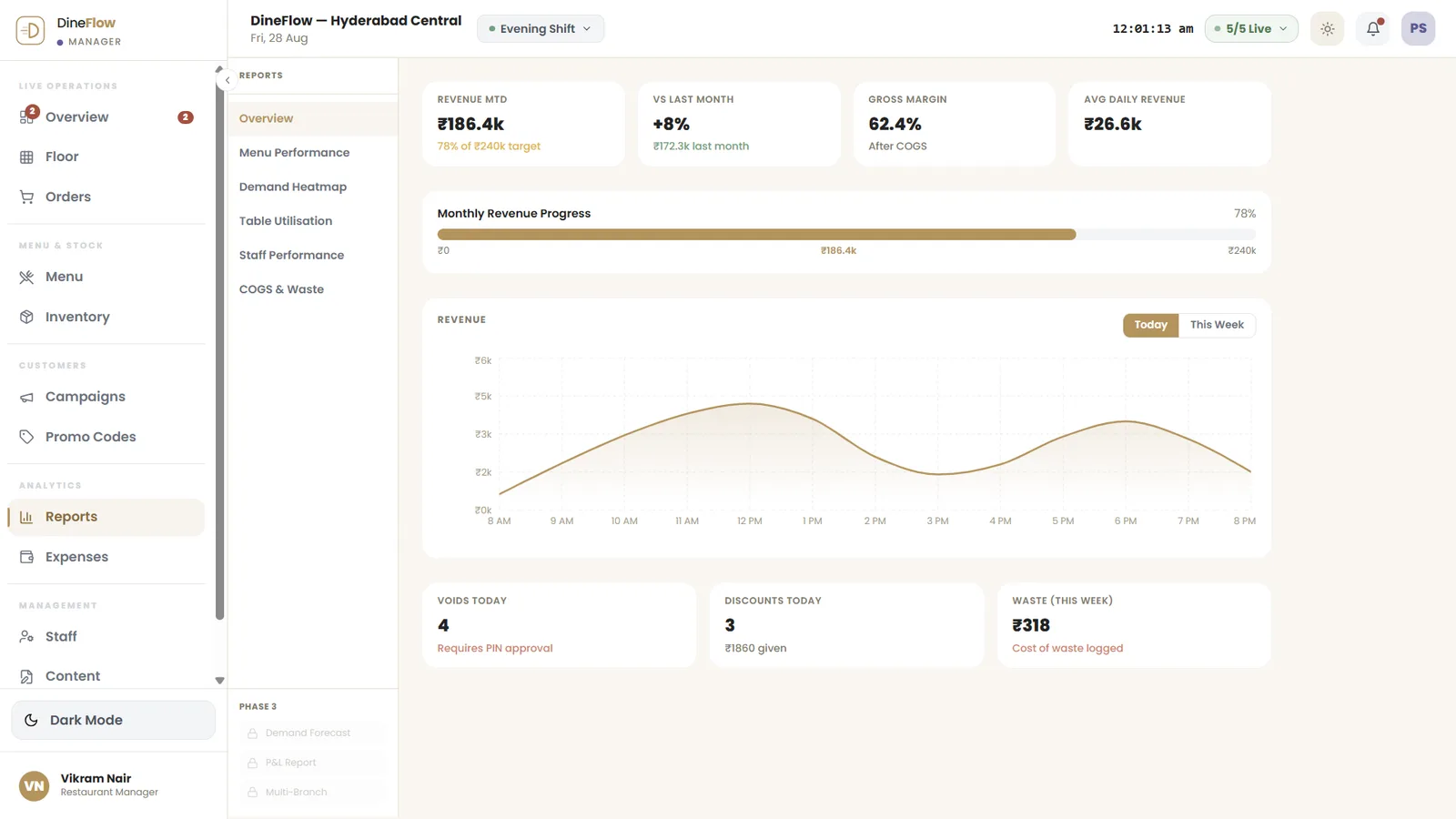
The branch report with revenue against target, gross margin after cost of goods, and voids, discounts and waste counted.
The shift, costed, once it closes — margin after food cost, and the three numbers a manager is asked to explain.
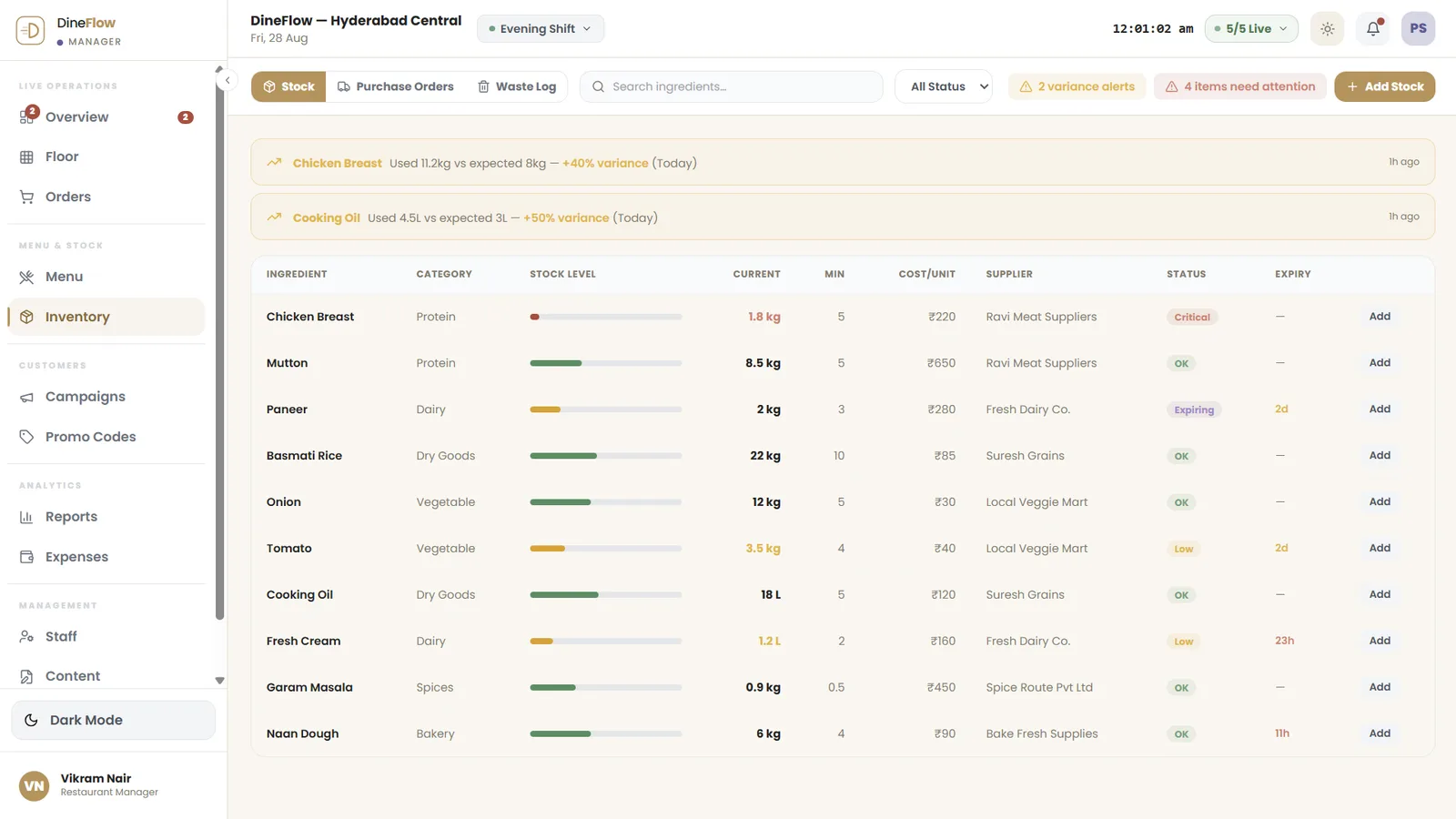
The inventory screen with ingredients flagged critical, low or expiring.
Critical, low, expiring — three states, each showing what triggered it and the time left.
  1. 03.01

    Approvals that block

    A void or a discount override waits for the manager, and is counted until it clears.

  2. 03.02

    Variance, the same day

    Chicken at 11.2 kg against an expected 8 kg is raised during service, not at month end.

  3. 03.03

    Publish to all channels

    Website, app, kiosk and POS take a price change together — nothing sells at an old price.

Act 04/ 04Web4 captures

The group and the platform

The group's view is read-only by design.

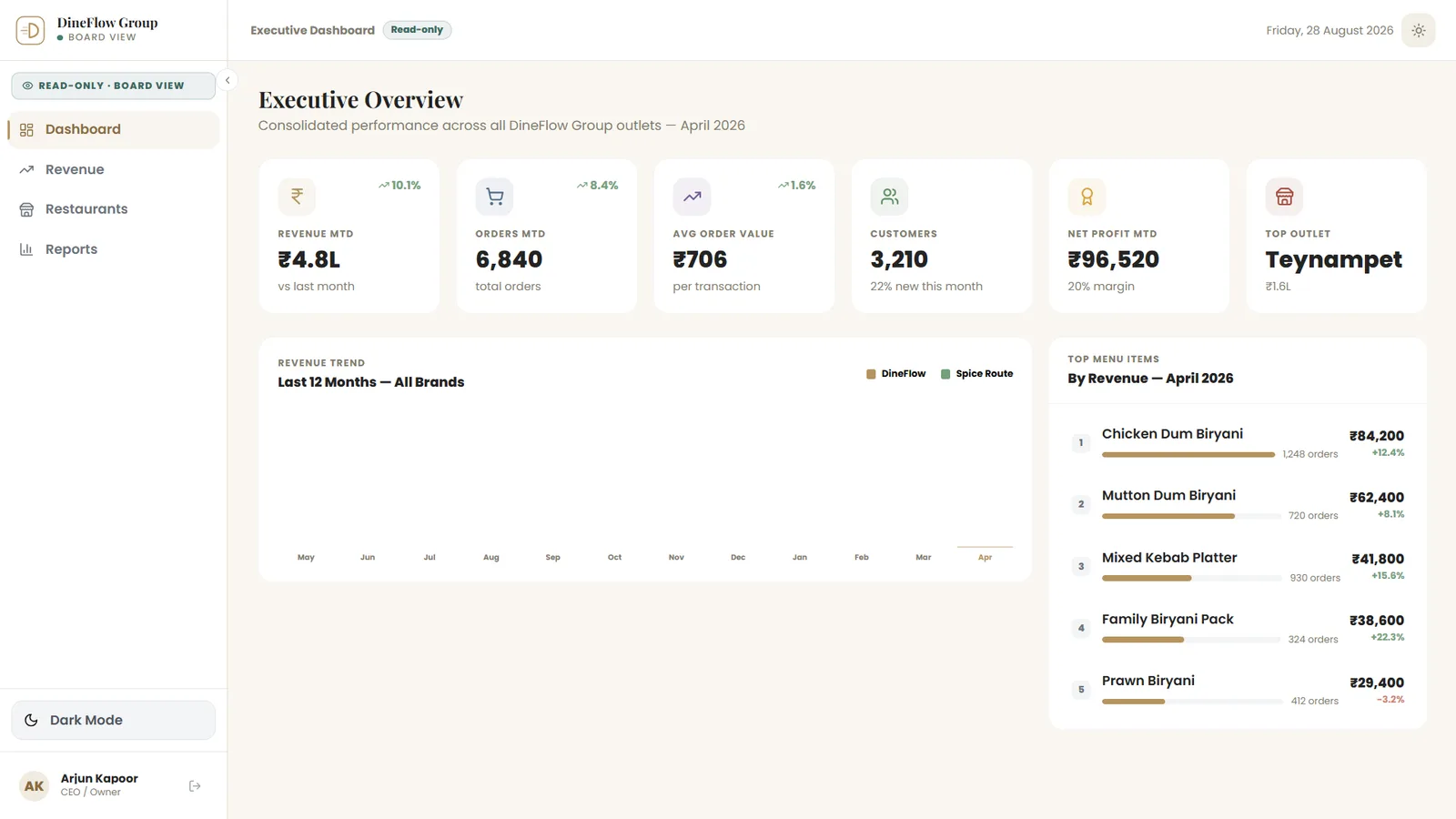
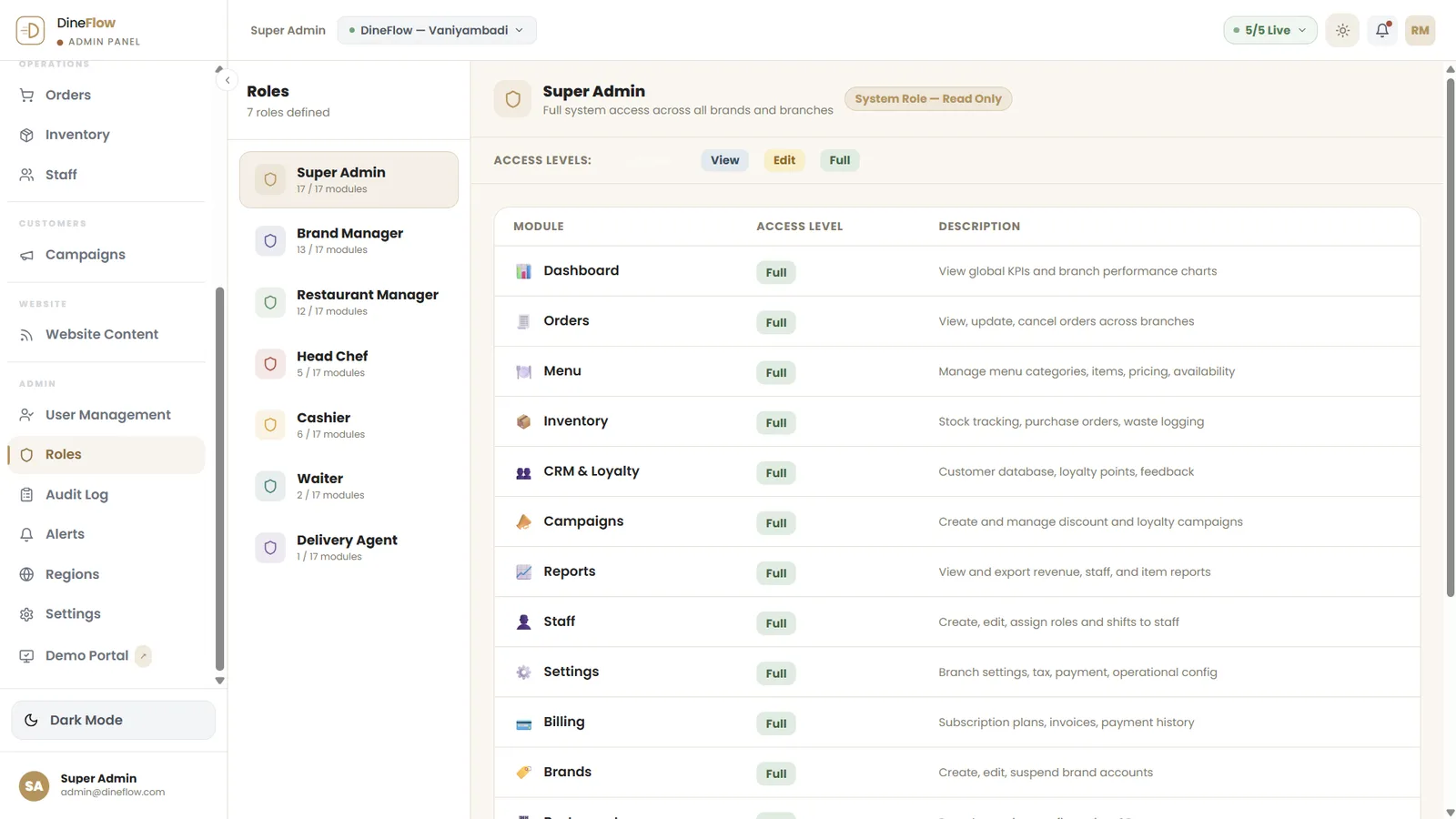
An owner or a board member sees every outlet consolidated, and can change nothing at all — a separate application, not the manager’s screen with buttons hidden. Revenue is broken out by channel, by city and by brand, and access is a matrix: each role is defined by what it can view, edit or fully control in every module.

The read-only executive dashboard with six monthly figures and a twelve-month revenue trend per brand.
The board view: every outlet consolidated, and no edit control rendered.
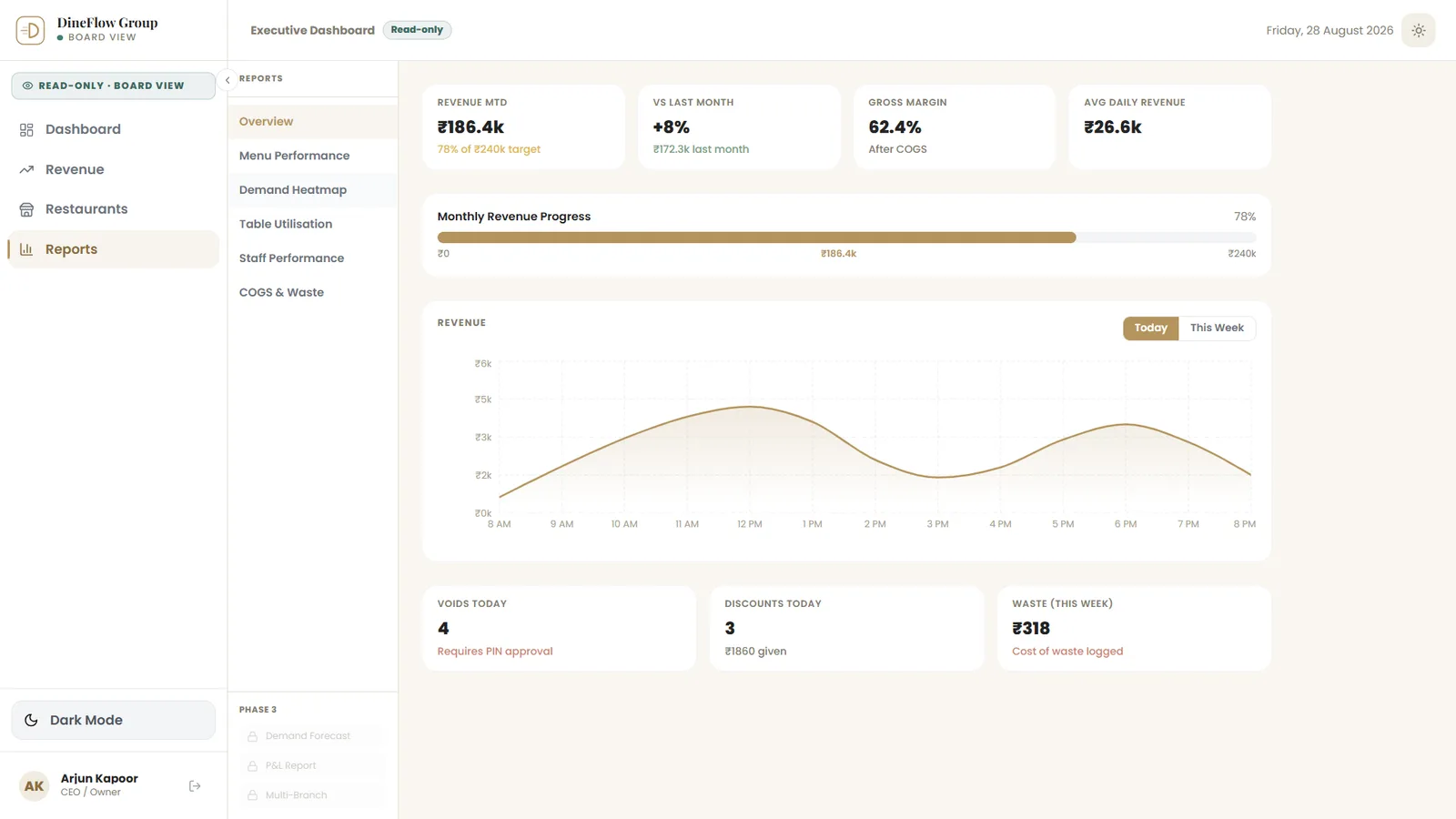
The group report: revenue month to date against target, gross margin, and voids, discounts and waste for the day.
The same report the branch reads, consolidated for the group — and still read-only.
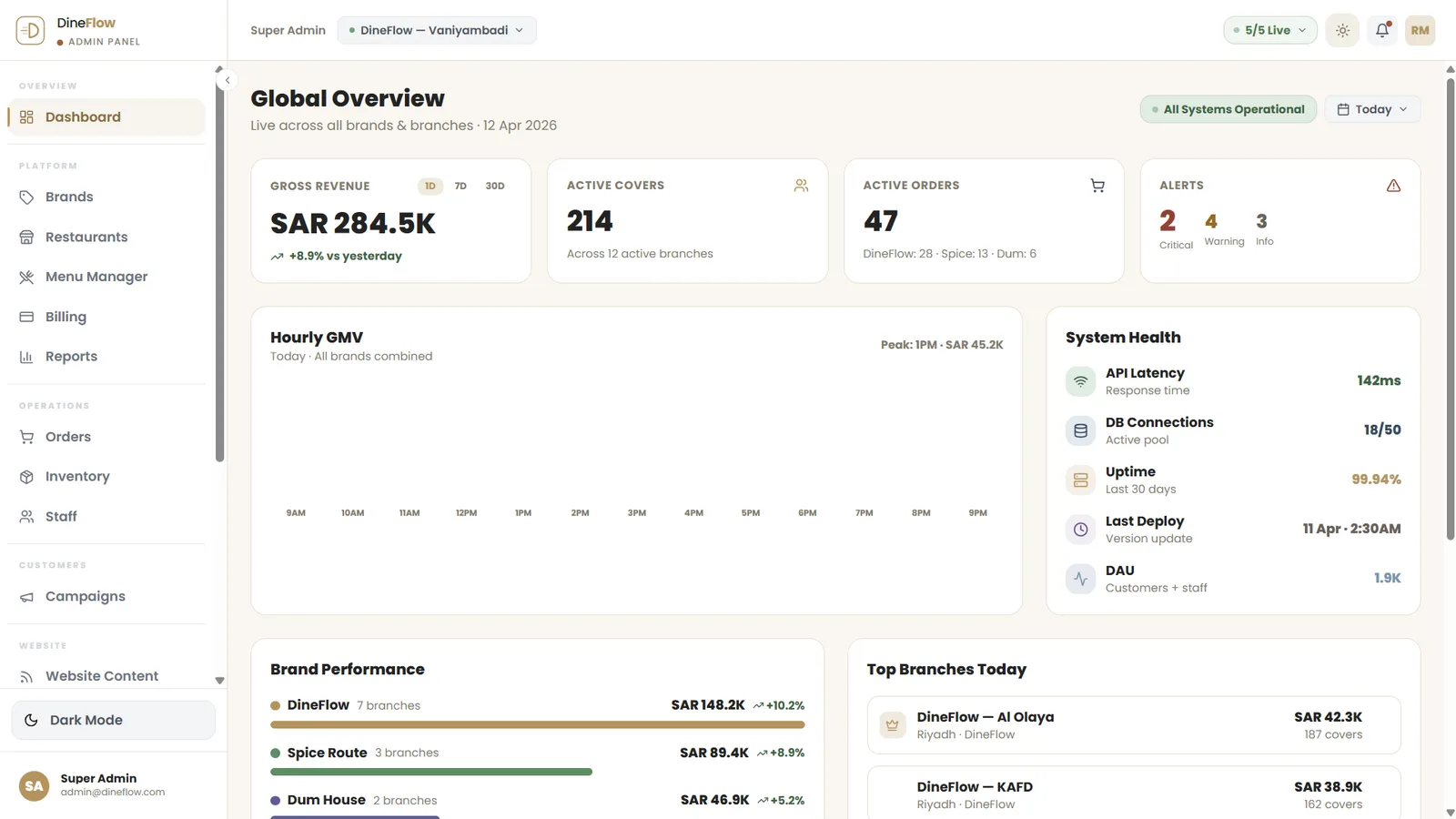
The platform dashboard: gross revenue, active covers and orders across every brand and branch, with system health beside them.
The platform above the group: every brand and branch live, with the system’s own health beside the trade.
The roles and permissions matrix, seven roles against seventeen modules.
Seven roles against seventeen modules — view, edit or control, per module.
  1. 04.01

    Six numbers, one month

    Revenue, orders, average order value, customers, profit and top outlet.

  2. 04.02

    Aggregators counted apart

    Third-party orders are reported separately from the group's own channels.

  3. 04.03

    A matrix, not a switch

    Around it sit brands and outlets, billing, regions, two-factor portal users and an audit log.

The last word

DineFlow shows how Famysys builds an operations product: start with the order and follow it all the way — the guest's phone, the counter, the pass, the rider, the branch report and the group view — so that nobody re-types what someone else has already entered.

Built in

  • Multi-brand
  • Multi-branch
  • QR dine-in
  • Counter POS
  • Kitchen display
  • Rider app
  • Inventory
  • Reservations
  • Reports
  • Role-based access

All projects

Let's build what's next

Technology alone doesn't transform businesses.The right partnership does.

Modernizing systems, building a new product, or exploring AI-driven transformation — Famysys helps you move forward with confidence.

  • SOC2 Type II Compliant
  • Strict Commercial NDA
  • Zero Lock-In Guarantee

Famysys

We Engineer Clarity

Scan to Connect

Instant digital business card & WhatsApp link