Skip to content

Portfolio · Children's publishing · Web

One catalogue, shown out frontand edited in the back.

A children’s activity-book publisher whose sale closes on a marketplace rather than in a cart of its own. The site is two halves of one catalogue: a storefront that filters thirty-two titles across six categories and points every buyer at a listing, and a back office — the site calls it the Studio — where the publisher edits, features, hides and reorders those same titles, and watches the clicks they earn on the way out.

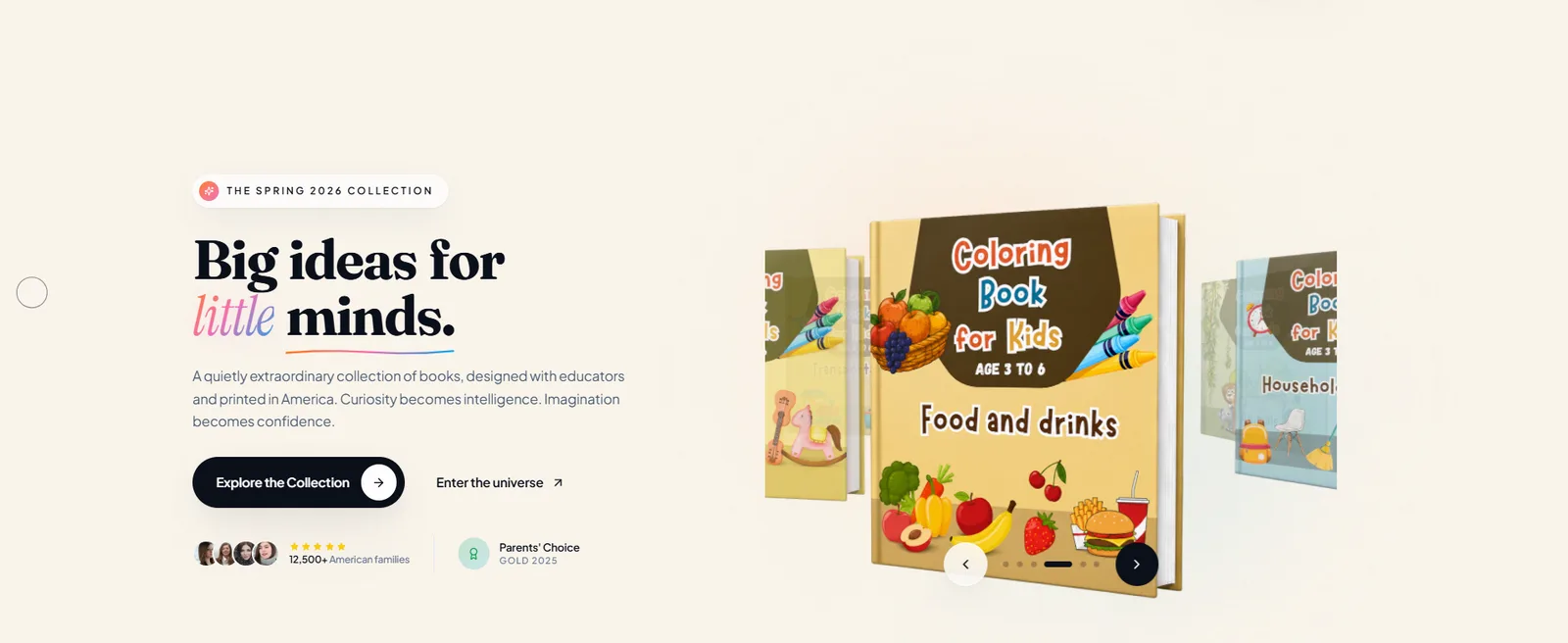
The storefront hero, naming the season’s collection beside a carousel of activity-book covers, with two routes in beneath the headline.
The season’s collection first, and two routes in under it.
01Sector
Children's publishing — activity and puzzle books
02Catalogue
Thirty-two titles across six categories
03Surfaces
A public storefront and a seven-section back office
04What is counted
Clicks out to the marketplace, not page views
Act 01/ 041 capture

The storefront

Thirty-two titles, filtered in place.

The shelf is one page and it never reloads, which is the whole design. A parent who came for a maze should not have to load a page to find out there are five of them; a parent shopping for a five-year-old should not have to open a book to learn it was written for ten-year-olds. Everything that decides the purchase is on the card — and the card is honest about the one thing this site deliberately cannot do, which is take the money.
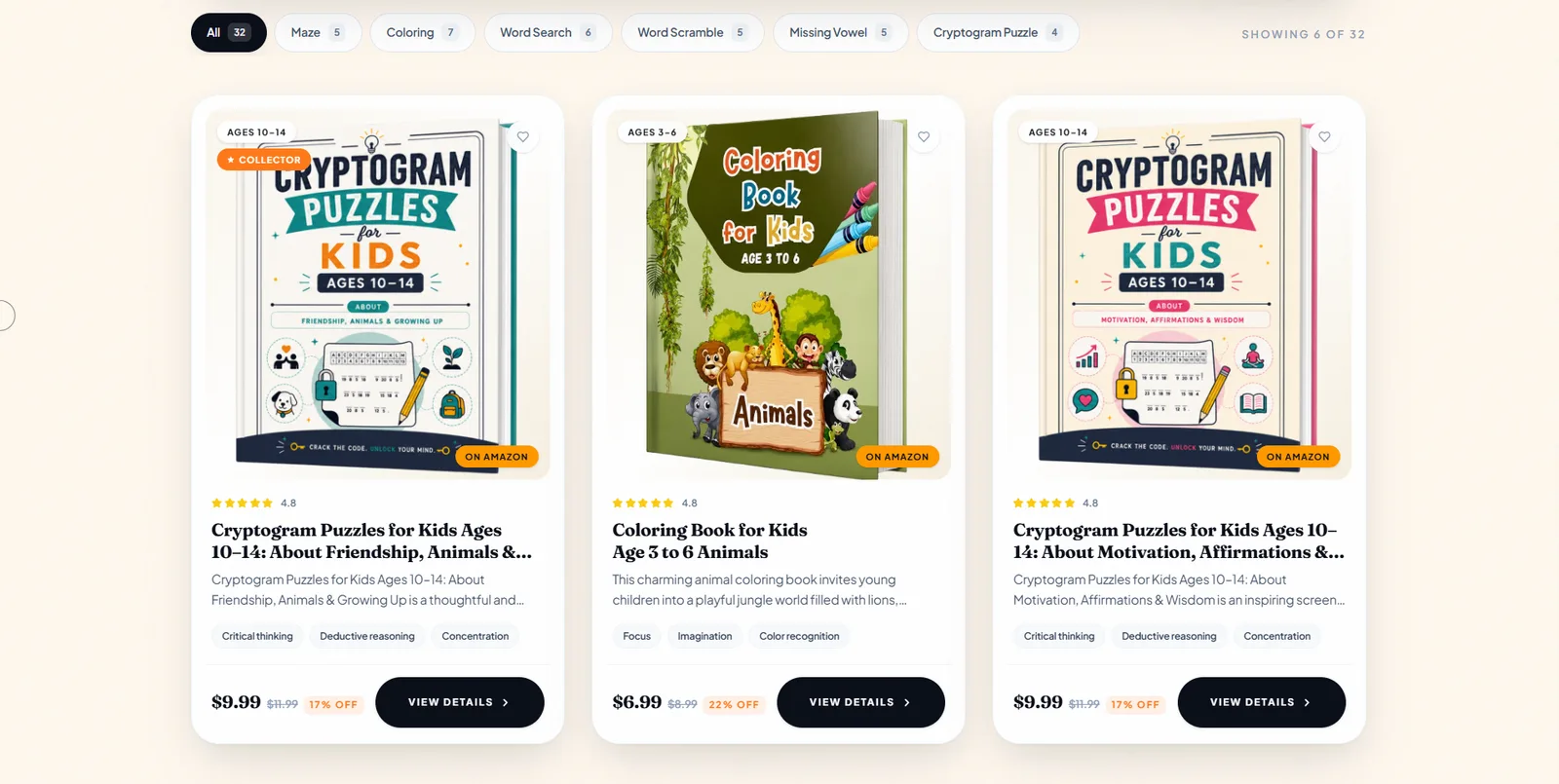
The storefront shelf with seven category chips carrying counts above three book cards, each showing an age band, a rating, skill tags, a price and a marketplace badge.
A count on every chip, and a marketplace badge on every card.
  1. 01.01

    A count on every chip

    All thirty-two, then five mazes, seven colouring, six word searches — the rail says what it will return.

  2. 01.02

    The card carries the age band

    Age, rating, skill tags and price are all on the shelf, before anything is opened.

  3. 01.03

    The badge is the honest part

    Every card says the purchase happens on a marketplace, so nobody looks for a checkout.
Act 02/ 041 capture

The Studio

A dashboard that counts redirects, not page views.

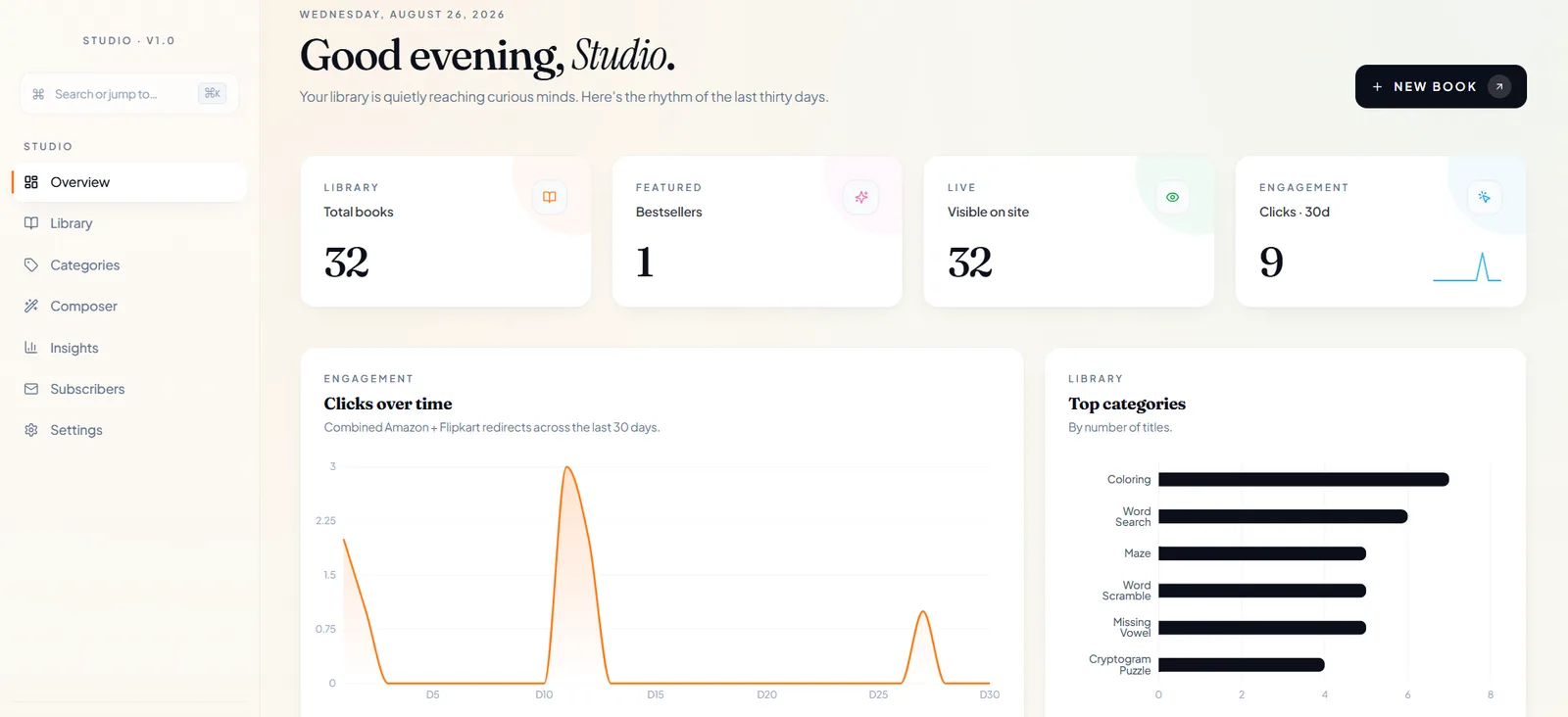
A publisher whose sale closes inside somebody else’s checkout cannot see a conversion, and the temptation is to measure the thing it can see — page views — and call that engagement. This dashboard measures the last honest event instead: the click that leaves for the marketplace. Everything else on the page is inventory rather than performance, and it is laid out so that the difference is obvious at a glance.

The Studio dashboard with library, featured, live and thirty-day click tiles above a clicks-over-time chart and a top-categories bar chart.
Four tiles, and the only engagement number on the page is the click that leaves.
  1. 02.01

    Four tiles, one of them honest

    Library size, featured, live and clicks out; the last is the only engagement figure the page carries.

  2. 02.02

    Thirty days, on the same card

    The tile carries its own sparkline, so the number arrives with its shape rather than without one.

  3. 02.03

    Seven sections

    Overview, library, categories, composer, insights, subscribers and settings.

Act 03/ 042 captures

The library

Every title, editable from one table.

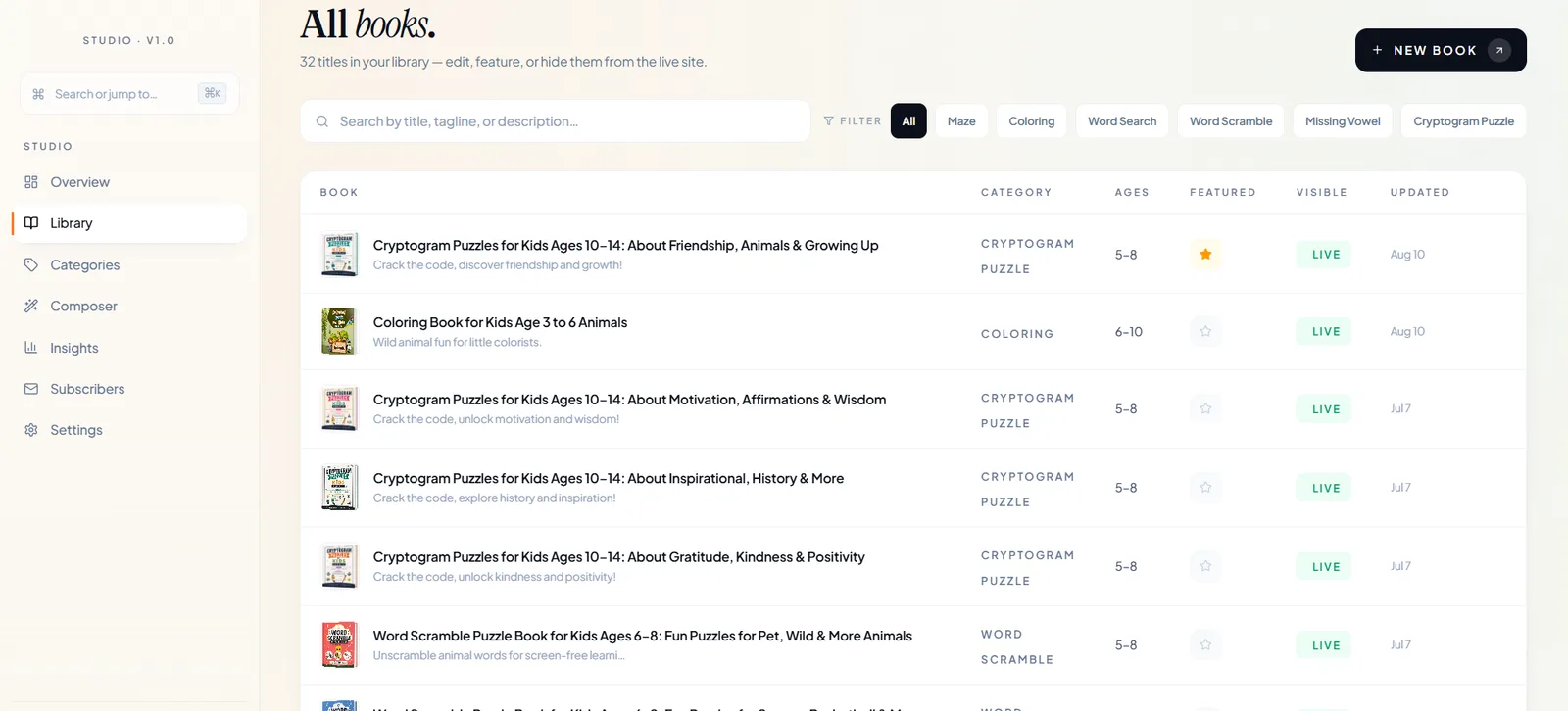
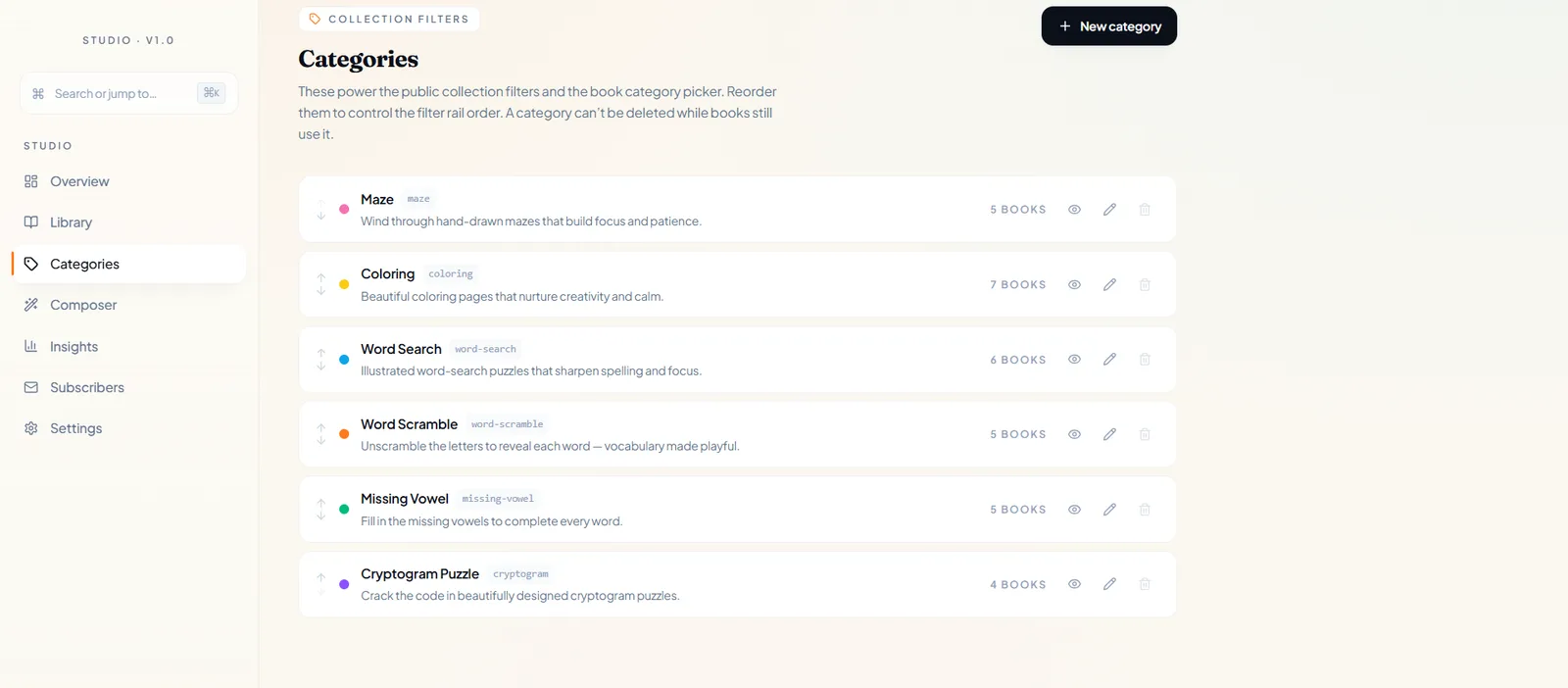
Thirty-two titles is small enough to hold in one table and far too many to keep in anyone’s head, so the Studio does not scatter editing across screens: one row per title, every field that decides whether it appears, and the date it last changed. The categories behind the storefront’s filters are rows in here too, each with its slug, its line of copy and its own book count — which is what makes the rail out front an editorial decision rather than a deployment.

The Studio library table listing every title with its category, age band, featured star, live status and last-changed date, above a search field and category chips.
One row per title, and the two controls that decide what the shelf shows.
The Studio categories list, each row carrying a colour, a name, a slug, a line of copy, its book count and reorder arrows.
The filters out front are rows in here — reordered, and undeletable while books use them.
  1. 03.01

    Feature, show, hide

    A star sets the one title the storefront features; Live decides whether a title is on the site at all.

  2. 03.02

    Search, then filter

    By title, tagline or description, then by the same seven chips the shelf carries.

  3. 03.03

    Reorder sets the rail

    The order here is the order out front, and a category cannot be deleted while a book still uses it.

Act 04/ 041 capture

The inbox

A weekly list, with its terms on the form.

Two small honesties, and both of them structural rather than decorative. A promise about a mailing list only counts where the address is actually typed, so it is printed beside the field instead of linked from under it. And the footer below is organised the way a parent shops rather than the way a publisher files — because a parent knows how old the child is, and not the difference between a word search and a word scramble.

The newsletter panel, stating a weekly cadence and what the list carries beside the address field, with its unsubscribe promise under the button.
The cadence, the contents and the promise, all beside the field.
  1. 04.01

    Once a week, and it says so

    What arrives and how often is printed next to the field, not linked from under it.

  2. 04.02

    Shop by age, not by puzzle

    Ages 0–3, 3–5 and 5–8 lead the footer, beside all books, bestsellers and gift sets.

  3. 04.03

    Subscribers are a section

    The list has its own place in the Studio rather than living in somebody’s export.

The last word

This shows how Famysys builds for a maker whose sale closes somewhere else: one catalogue, shown out front and edited in the back, with the only engagement figure on the dashboard being the click that leaves. If your buyers finish on a listing rather than in your cart, we start from your list and your categories rather than from a template.

Built in

  • Storefront
  • Filtered shelf
  • Marketplace redirects
  • Back office
  • Library table
  • Feature & hide
  • Reorderable categories
  • Redirect analytics
  • Newsletter
  • Subscribers

All projects

Let's build what's next

Technology alone doesn't transform businesses.The right partnership does.

Modernizing systems, building a new product, or exploring AI-driven transformation — Famysys helps you move forward with confidence.

  • SOC2 Type II Compliant
  • Strict Commercial NDA
  • Zero Lock-In Guarantee

Famysys

We Engineer Clarity

Scan to Connect

Instant digital business card & WhatsApp link